

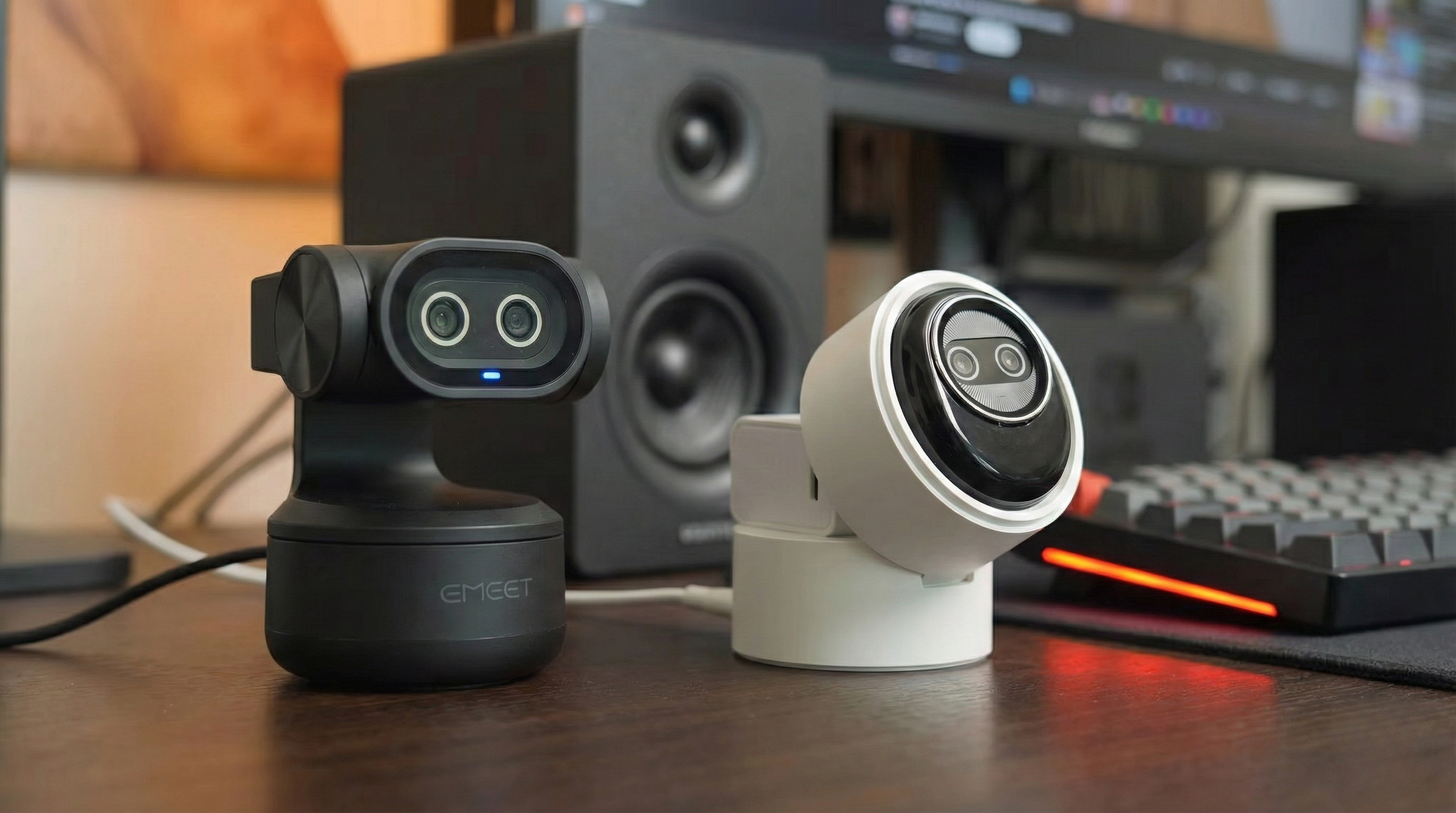
You are likely staring at your laptop’s built-in webcam right now, realizing that you look like a pixelated ghost broadcasting from a cave. That is the reality for most remote workers and content creators until they decide to upgrade. The market is currently flooded with “AI-powered” 4K webcams, and two specific models have been making waves for their performance-to-price ratio: the EMEET Pixy and the Piko Plus.
I have spent significant time testing both of these devices to see if they live up to the hype. While they share similar software DNA and 4K capabilities, they serve very different masters. One is a mechanical, tracking powerhouse that acts like a personal cameraman, while the other is a pocket-sized cube designed for instant upgrades anywhere.


This guide cuts through the marketing noise to tell you exactly which one belongs on your monitor.
| Feature | EMEET Pixy | Piko Plus |
|---|---|---|
| Maximum Resolution | 4K @ 30fps / 1080p @ 60fps | 4K @ 30fps / 1080p @ 60fps |
| Lens System | Dual Lens (1x Sony Sensor + AI Assist) | Single Lens (70° FOV) |
| Tracking Technology | Mechanical Gimbal (PTZ) | Digital AI Face Tracking |
| Microphones | 3-Mic Array (Noise Cancelling) | 3-Mic Array (Noise Reduction) |
| Zoom | Digital Zoom (No 4K zoom) | 1.5x Digital Zoom |
| Privacy | Tilt-Down Mode (Physical) | Magnetic “Panda” Cover |
| Software Features | AI Script Writing, Gestures, 3 Audio Modes | Mi Studio, 3 Audio Modes |
| Connection | USB-C (USB 2.0 protocol) | USB-C (Adapter included) |
Design and Build Quality: The Robot vs. The Cube
Aesthetics matter when a device sits permanently on top of your monitor. The approach these two cameras take could not be more different, and this design philosophy dictates how you will use them.
The EMEET Pixy is unapologetically a piece of tech designed to be seen. It features a sleek, “friendly robot” design that immediately signals it is more than just a lens. The dual-lens setup on the front gives it a distinct character, while the mechanical gimbal base allows the head to physically rotate and tilt. This is a desktop-first device. It feels premium and feather-light, but its form factor implies it is meant to stay put in your home studio or office. The thoughtful inclusion of a standard tripod thread on the bottom adds versatility for creators who do not want to mount it strictly on a monitor.

Contrast this with the Piko Plus, which aims for stealth and portability. This thing is shockingly tiny—roughly the size of an AirPods case and weighing in at just over 40 grams. You could throw this in a pocket or a laptop bag and forget it is there. The glossy plastic body feels surprisingly premium, though my testing showed it is an absolute magnet for fingerprints, especially on the black model. It comes in fun colors like Mint Green and White, leaning into a more casual, lifestyle vibe.
The standout design feature here is the magnetic privacy cover shaped like a panda face. It is a small, tactile touch that is oddly satisfying to snap on, but it is a loose piece that could potentially get lost, unlike the Pixy integrated privacy solution.

Privacy execution is a major differentiator here. With the Pixy, you simply tilt the lens down, and the feed cuts. It is intuitive and requires no extra parts. The Piko Plus requires you to place that magnetic cover over the lens physically. While both work, the Pixy approach feels more “pro” and integrated, whereas the Piko Plus feels more manual and playful.
Video Performance and The Tracking Battle
Buying a 4K webcam is pointless if the image quality does not hold up, or if the “AI” features are just gimmicks. This is where the gap between the two devices widens significantly.
The Visual Fidelity
The EMEET Pixy utilizes a Sony image sensor on its main camera, and the results are evident. The dynamic range is excellent, handling strong backlighting without blowing out your face—a common issue in home offices with windows behind the user. The colors are natural, and the detail at 4K is sharp. Low-light performance is where the Pixy surprised me; it does not just rely on sensor size but uses AI to manage shadows and reduce noise, keeping the image clean without that grainy “webcam look.”

The Piko Plus holds its own surprisingly well for its size. In daylight, the image is crisp, detailed, and produces natural skin tones that made me look like I had invested in good lighting. Like the Pixy, it manages low light with minimal noise, which is impressive for such a small optical package. However, the Pixy dual-lens architecture gives it a slight edge in complex lighting scenarios where the dedicated AI lens helps calculate exposure more accurately than a single sensor might.

Gimbal vs. Digital Tracking
Here is the deciding factor for many users. The Pixy is a true PTZ (Pan-Tilt-Zoom) camera. When you move, the camera physically rotates to follow you. The “Imm Blink Focus” system is incredibly fast—around 0.2 seconds—and the tracking is smooth. It keeps you center-framed without the jerky “digital crop” effect seen in cheaper cameras. You can even control this with gestures; raising your palm toggles the tracking on and off, which makes you feel like you are commanding a camera crew.
The Piko Plus also claims AI tracking, but it operates differently. It uses digital cropping and autofocus to keep your face sharp. While it does a good job keeping you in focus even if you lean forward or move around (locking on from as close as 10cm), it lacks the mechanical freedom of the Pixy. If you are a teacher walking around a whiteboard or a streamer who moves excitedly in their chair, the Pixy mechanical gimbal provides a far superior, broadcast-style experience. The Piko Plus is better suited for someone who stays relatively stationary but wants to ensure their focus remains sharp if they shift in their seat.

Audio Quality and Software Ecosystem
Webcam microphones are usually an afterthought, but both EMEET and the makers of the Piko Plus have put genuine effort into their audio arrays. Interestingly, the audio features are nearly identical, suggesting a shared technological backbone.
Both devices feature a three-microphone array with three distinct AI-powered audio modes:
- Original Mode: Unfiltered, raw sound. This is best for soundproofed rooms where you want the natural timbre of your voice.
- Noise Cancelling/Reduction Mode: This aggressively cuts out background noise (like cafes or street sounds). It can compress your voice slightly, making it sound a bit robotic, but it effectively kills distractions.
- Live Mode: A balance between the two. It isolates light noises like air conditioning or computer fans while keeping voice gain high. This is the “Goldilocks” mode for most streamers and remote workers.
Testing showed that both cameras produce audio that is “perfectly fine” for Zoom calls and Teams meetings. The Piko Plus specifically was noted for reducing background noise nicely in Live mode. However, as is the case with all webcams, I still recommend a dedicated USB microphone if you are serious about content creation. The internal mics are a great backup, but they cannot replace a dedicated dynamic mic.

The software experience brings a unique twist to the Pixy. The EMEET Studio software is not just for adjusting exposure or saturation; it integrates AI script-writing tools (accessing ChatGPT and others). This means your webcam software can actually help you write the script for the video you are about to record. It is a wild, futuristic feature that adds value beyond just image processing. The Piko Plus uses “Mi Studio,” which offers granular control over brightness, contrast, sharpness, and manual focus. It is functional and robust, allowing you to dial in your look, but it lacks the generative AI flair found in the Pixy suite.
Pros & Cons Breakdown
EMEET Pixy
- Pros: true mechanical PTZ tracking offers a broadcast feel; the dual-lens system provides superior exposure and focus speed; gesture controls are intuitive and useful; the integrated privacy shield is impossible to lose; the low-light performance is surprisingly clean.
- Cons: USB 2.0 connection feels dated compared to USB 3.0 standards; lack of 4K zoom (digital only) limits framing options; there is no physical mute button on the device itself; the advanced features require the software to be running.
Piko Plus
- Pros: incredible portability and lightweight design; excellent plug-and-play compatibility with Mac and Windows; sharp 4K video with natural skin tones; magnetic privacy cover adds a fun, aesthetic touch; value for money is high for the image quality provided.
- Cons: glossy black body attracts fingerprints instantly; digital zoom degrades quality faster than optical solutions; the magnetic cover is a separate piece that can be lost; lacks the mechanical tracking range of a gimbal camera.
The Final Verdict: Which One Should You Buy?
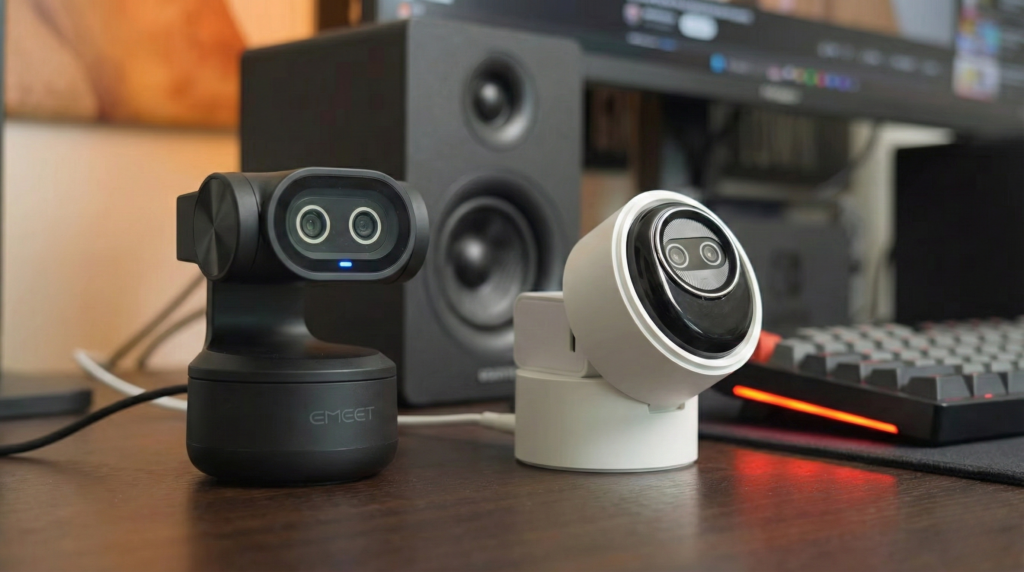
Choosing between the EMEET Pixy and the Piko Plus ultimately comes down to your workspace stability and your movement habits. These are both substantial upgrades over any integrated laptop camera, but they fit different lifestyles.
You should buy the EMEET Pixy if you are a content creator, educator, or presenter who needs freedom of movement. The mechanical gimbal and gesture controls are not just gimmicks; they change how you interact with your audience. Being able to stand up, walk to a whiteboard, or pace around your room while the camera smoothy follows you adds a professional production value that static cameras cannot match. It is the superior choice for a permanent, “pro-level” home studio setup where lighting conditions might vary.
You should opt for the Piko Plus if you are a digital nomad, a hybrid worker, or someone who values minimalism. Its tiny footprint makes it the perfect travel companion, instantly upgrading your hotel room calls to 4K quality. While it lacks the mechanical tracking, the image quality is crisp, the autofocus is snappy, and the price point represents an easy, high-impact upgrade. It is the “set it and forget it” option that simply works without dominating your desk space.
Value for money is strong with both, but the Pixy wins on features while the Piko Plus wins on convenience. Analyze your daily workflow—if you sit still, save the money and space with the Piko. If you move, the Pixy is the only logical choice.
