

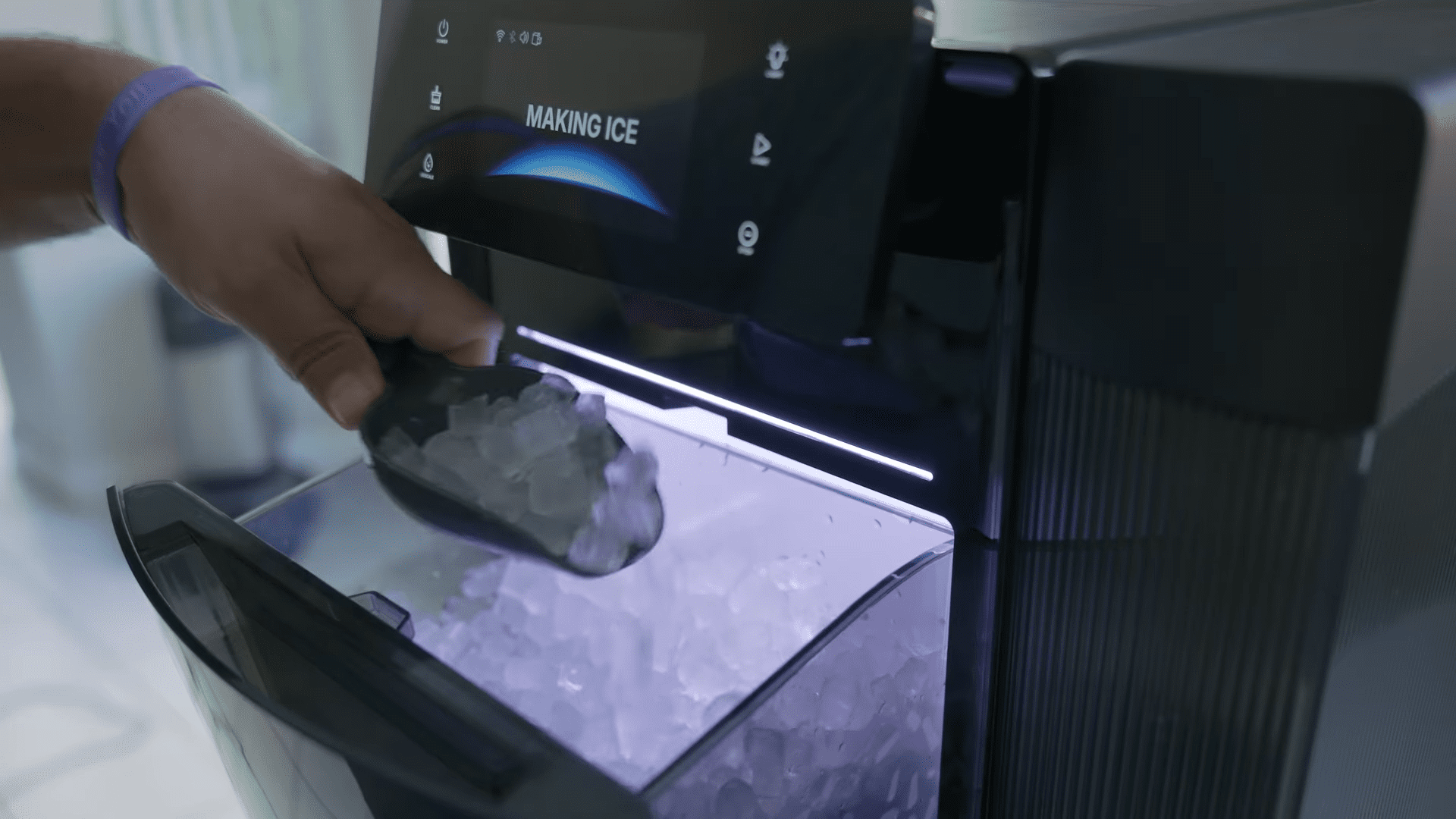
There is a distinct satisfaction in having a dedicated appliance that does one thing exceptionally well, and the GoveeLife Smart Nugget Ice Maker Pro aims to fill that role for ice enthusiasts. Having spent significant time testing various kitchen gadgets, I appreciate it when a device combines raw performance with modern connectivity. The promise here is rapid production paired with the convenience of managing the device from your smartphone, ensuring you never run out of ice during a gathering.
Availability for this unit spans major online retailers like Amazon, where pricing can fluctuate based on seasonal deals, but the feature set suggests a premium positioning. It boasts a substantial three-year warranty, which provides peace of mind given the mechanical nature of compressors and ice augers.
The specifications alone are impressive, claiming a production rate of 60 pounds of ice within a 24-hour period. That level of output shifts this from a casual novelty to a semi-professional tool suitable for heavy users or frequent hosts. Throughout this analysis, I will break down the installation, the smart features, and exactly how this machine performs in a real-world setting.

Quick Navigation (Table of Contents)
Unboxing and Initial Structural Setup
Getting the GoveeLife Smart Nugget Ice Maker Pro out of the box is the first hurdle, and it is a significant one. The packaging houses a substantial piece of machinery, and the weight is immediately noticeable. You should absolutely plan to have a second person assist you during the unboxing process. Attempting to lift this unit alone is not advisable due to the density of the compressor and the internal components. Once you have the box in position, moving it to its final resting place on your countertop requires careful maneuvering to ensure you do not strain yourself or damage the appliance.
Upon removing the packaging materials, you are greeted with a few essential accessories that dictate how the machine will function in your kitchen. Included in the box are the primary water pipe and a drain extension. Deciding whether to utilize the drain extension is a critical first step in the installation process. Standard placement might not require it, but scenarios where your designated drainage point—such as a kitchen sink—is located at a distance will necessitate this extension. It offers the flexibility to position the ice maker further away from the plumbing while still maintaining the ability to flush the system effectively.

The design allows for the drainage pipe to remain connected continuously, which simplifies the maintenance workflow. You typically only interact with this component when you need to drain the internal reservoir or during a deep cleaning cycle. Having the option to simply pop the pipe out and direct it into a sink makes the maintenance aspect far less daunting.
Completing the physical setup involves installing the external components that facilitate water flow. There is an “A pipe” and a “B pipe” referenced in the setup guide. You must connect the A pipe to the back of the water tank to establish the intake link. The B pipe, conversely, can be left hanging behind the ice maker, serving its specific function in the plumbing architecture.

Sanitization Protocols and Maintenance Tools
Hygiene is paramount with any appliance that handles water and produces consumable items. Before you produce a single nugget of ice for consumption, a thorough cleaning regimen is required. The manufacturer includes specific cleaning solutions and a sponge in the box. You must remove the ice bucket and scrub it thoroughly, along with the interior walls of the ice compartment. Residue from manufacturing is common in appliances like this, so this initial scrub is non-negotiable for ensuring the taste quality of your ice.

The filtration system also requires attention during this initial phase. Accessing the top water tank involves removing the lid and extracting the filter mechanism. You should clean this filter individually to ensure no debris or dust blocks the water flow. The provided sponge aids in reaching the corners and crevices of the tank and the bucket.
Once the physical scrubbing is complete, the machine requires a flush. You fill the reservoir with water up to the “ice empty max” line, plug the unit in, and run a dedicated cleaning session through the system.

Post-cleaning management is just as important as the initial wash. After the cleaning cycle concludes, you must drain the water out into the sink using the previously mentioned drainage pipes. This process flushes out the cleaning solution and any loosened particulates.
The machine also features a descaling mode, which is accessible via the app or the front panel. Regular descaling is essential for the longevity of the machine, particularly in areas with hard water, although using the recommended water types minimizes this issue.

External Water Tank Assembly and Filling Guidelines
The water supply mechanism for the GoveeLife Smart Nugget Ice Maker Pro is distinct from many standard countertop units. It utilizes a detachable external water tank that sits atop the machine, adding to its vertical profile.
Installation requires you to attach feet to the tank before sliding it onto the top of the main unit. This modular design makes it easier to clean the tank separately from the electronics, but it also means you have an additional component to manage during setup. The tank also features a magnetic area designed to hold the ice scooper, keeping the accessory handy and off your countertops.

Sourcing the right water is critical for both the quality of the ice and the health of the machine. The manufacturer explicitly recommends against using tap water. Tap water often contains minerals and impurities that can alter the taste of the ice and lead to rapid scale buildup within the freezing cylinder. Instead, you should opt for filtered water from your refrigerator or bottled water.
Filling the tank involves a specific procedure that differs from top-fill integrated reservoirs. You must turn the tank upside down to access the fill port. After unscrewing the cap, you pour your chosen water source into the container. Once filled, you screw the cap back on tightly to prevent leaks, flip the tank right-side up, and place it back onto the base.
Smart App Functionality and Remote Control Features
Connecting the ice maker to its companion app transforms the user experience from manual to modern. While the unit has physical buttons, the app unlocks the full potential of the “Pro” moniker. One of the most practical features is the ability to monitor the cumulative ice production. The app displays exactly how many pounds of ice the machine has generated.

Remote operation is the standout utility here. You can initiate the ice-making process while you are away from home. The app also allows you to set schedules, automating the production so that fresh ice is ready exactly when you wake up or when you typically return home.
Deeper settings within the application allow for granular control over the device’s behavior. You can toggle alerts and buzzers, determining how communicative the machine is regarding its status. If the bin is full or the water is low, the app notifies you, preventing the machine from sitting idle when it needs attention. Furthermore, the lighting controls are fully integrated here. You can adjust the intensity of the front-facing light or turn it off entirely if you prefer a stealthier appearance in your kitchen.

Ice Production Speed, Volume, and Acoustic Profile
Performance is the core metric for any ice maker, and this unit targets high-volume output. The claim of rapid ice production in six minutes holds up in testing, though you need to manage expectations regarding quantity in that first batch. It starts quickly, but building up a substantial amount takes time.
The machine is rated for 60 pounds of ice every 24 hours. This is an immense amount of ice for a household, implying that you will likely need to bag the excess and transfer it to your main freezer.
The quality of the ice produced is described as “nice, soft, small ice,” which is the hallmark of nugget ice. This texture is preferred by many for its chewability and how well it cools drinks without diluting them too quickly. Having a full basket of this ice type readily available changes your beverage habits at home.
The machine’s ability to maintain this output consistently is what justifies its size and complexity. It is not just making ice cubes; it is creating a specific, highly desirable type of ice at a commercial pace.
Acoustics are always a concern with compressors sitting on a counter. On standby, the unit is described as “whisper quiet,” meaning it won’t disturb the household when it is plugged in but idle. However, once production begins, the noise floor rises. You will hear the motor engaging and the physical sound of ice dropping into the basket. It is “not too loud, but it’s not quiet at all.” It is a mechanical process, and the sound is the tradeoff for the speed and volume of production. It is an audible presence in the kitchen, but likely one that fades into the background noise of a busy home.
Final Thoughts — Price & Value
Assessing the value of the GoveeLife Smart Nugget Ice Maker Pro requires balancing its high output against the investment it represents. While exact pricing varies between platforms like Amazon, the inclusion of a three-year warranty is a significant factor in the value equation. Ice makers are notorious for mechanical wear due to the constant friction and water hardness issues, so a long-term warranty suggests the manufacturer is confident in the build quality.

The sheer volume of 60 pounds per day offers value that transcends simple convenience. For a standard user, this might be overkill, but for a household that entertains frequently or consumes large quantities of cold beverages, it eliminates the recurring cost and hassle of buying bags of ice from the store. The added “Pro” features—specifically the app connectivity and the premium display—elevate the experience.
The combination of aesthetic appeal, with its customizable RGB lighting, and the practical utility of soft nugget ice makes this a compelling package. It is a large, heavy machine that demands space and maintenance, but it delivers on its promises of speed and quantity. For those specifically seeking that “good ice” texture with the ability to control production remotely, this unit offers a robust solution that competes aggressively with other premium names in the sector.
