

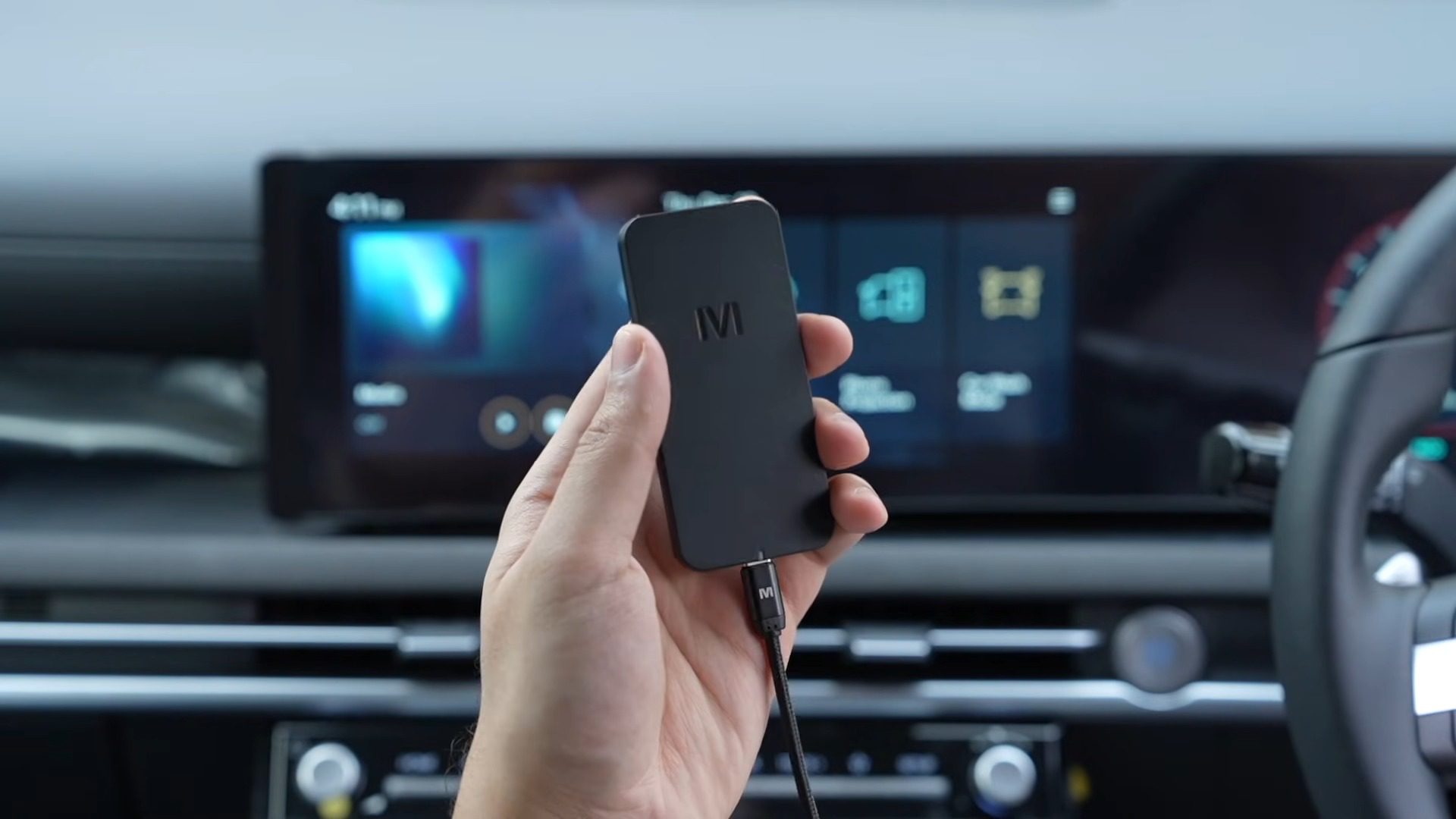
The idea of transforming a standard car display into a fully functional Android tablet is incredibly appealing for anyone who spends a lot of time on the road. The Mstick 4 is a small device designed to do exactly that, bridging the gap between a basic infotainment system and a powerful multimedia hub. It works by utilizing your car’s existing Android Auto connection, effectively taking over the screen to run a full Android operating system.
You typically find this unit on platforms like Amazon for $269. Ideally, your vehicle just needs to have wired Android Auto and a USB Type-A or Type-C port to get started. The goal here is to give you access to apps, streaming, and tools that standard Android Auto or CarPlay simply do not offer.

Design and Easy Setup
The Mstick 4 features a nice and small form factor that tucks away easily in the car’s console. Inside the box, you get both USB Type-A and Type-C cables, which ensure compatibility regardless of which port your vehicle uses. Getting it running is a straightforward process.
You simply plug the device into your car’s Android Auto port. It is important to make sure your phone is not currently connected to Android Auto, as the stick needs to take over that connection.

There is a companion app called “Mgeears Go” that you can download to your phone. This app guides you through the initial setup process, making the configuration much smoother than trying to do everything on the car screen alone.
Once the device is plugged in and recognized, it boots up and replaces your standard car interface with a completely new Android environment.

Interface, Navigation, and Customization
Once connected, the display shows a home screen that looks and acts just like an Android tablet. You can tap to check out all your apps or open the Play Store to download new ones. The interface is touch-friendly and designed to be familiar to anyone who has used an Android device before. By default, the navigation buttons are located on the left side of the screen, which is convenient for the driver.
Since this is running a full Android operating system, you have the freedom to change nearly every setting. For example, if you prefer the navigation bar on a different side, you do not have to dig through complex car menus. You can simply open the Mstick settings within the Mgeears app on your phone and change the bar’s position from left to right.

Streaming, Storage, and Performance
Video streaming is a major selling point for this device. YouTube works great, offering a full-sized keyboard for searching, which is a huge upgrade over the limited voice-only search often found in standard car systems.
Netflix is also available and functions smoothly. It is worth noting that the video option should only be used when you are not driving, ensuring safety remains a priority. For those who want to share content from their mobile device, screen mirroring is supported via the Mgeears app, provided both the phone and the Mstick are on the same Wi-Fi network.

Under the hood, the Mstick 4 comes with 128 GB of built-in storage, allowing you to save a lot of videos and apps directly to the unit. It runs on Android 13, and software updates are available over the air, requiring only an active internet connection. You can even add a SIM card directly to the device, which eliminates the need to rely on your phone’s Wi-Fi hotspot for data.
Performance remains solid across various tasks. I tried playing a game, and the performance was pretty decent for a car adapter. Interestingly, my car’s audio quality was noticeably better when using the Mstick compared to the standard connection. The sound profile used by the device seems to be really good. Additionally, features like split-screen mode and Sound Studio allow for further control over how you use and hear your content while in the car.

Final Thoughts — Price & Value
You can pick up the Mstick 4 for $269 on Amazon. For that price, you are getting a standalone Android 13 device that integrates seamlessly into your vehicle without permanent modifications. The inclusion of 128 GB of storage, SIM card support, and the ability to run full apps like Netflix and YouTube adds significant utility beyond standard smartphone projection.
The value proposition is strong for users who want more than just maps and music. The improved audio quality and decent gaming performance suggest that the hardware is capable of handling multimedia tasks well. While it requires a specific port and setup, the result is a much more versatile infotainment system.
