

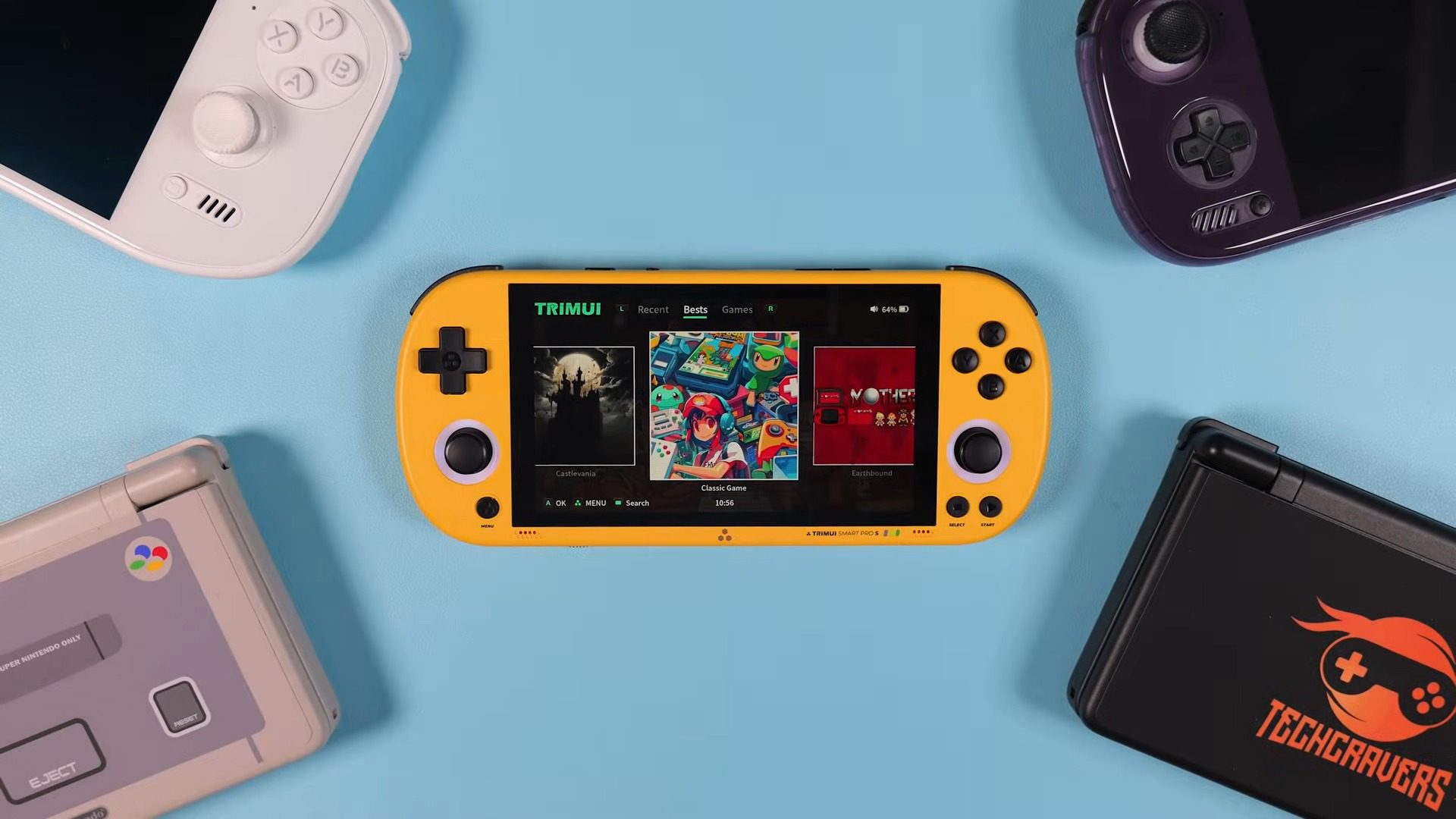
The Trimui Smart Pro S is an updated version of a device that many people already know and love. It keeps the same general shape that reminds everyone of a PSP, but under the hood, it has seen some significant changes. I have the yellow model here, and I have to say, this color gives the device a lot of personality compared to the usual black and grey slabs we see on the market.
You can find the Trimui Smart Pro S on AliExpress, where it generally lists for around $130. At this price point, it competes directly with some very popular hardware, so the real question is whether the performance upgrades justify the cost.

Design, Controls, and Ergonomics
Holding the Smart Pro S feels instantly familiar to anyone who used the original model, but your fingers will notice the differences immediately. The manufacturer has significantly refined the controls.
I noticed that the D-pad and face buttons now sit slightly higher and stick out more from the shell. This added height gives them a more responsive, tactile feel compared to the flush buttons of the past. The D-pad, in particular, features a nice pivot that makes rolling inputs for fighting games feel precise and satisfying.

The yellow colorway I received is striking and adds a sense of fun to the hardware. The build quality feels solid rather than cheap or hollow, providing a reassuring heft in the hand.
One major addition to the top of the device is a dedicated “Home” button. This single addition drastically improves navigation, allowing you to jump in and out of menus without arcane button combinations. The shoulder triggers have also seen a rework; they are longer and easier to press, eliminating the mushy sensation that plagued earlier units.

Hardware Specifications and Cooling
The heart of this refresh is the new Allwinner A523 processor, an eight-core chip clocked at around 2.0GHz, paired with a Mali-G57 GPU and 1GB of RAM.
In my testing, this configuration delivered a performance boost of roughly 15 to 20 percent over the RK3566 chip found in many competing devices in this price bracket. To manage the heat generated by this extra power, Trimui has integrated an active cooling solution featuring a dedicated fan and exhaust vents on the back of the shell.

I did notice a quirk with the cooling design during my play sessions. The fan intake is positioned exactly where my fingers naturally rest on the back of the device, meaning I could feel the air moving against my skin. While it effectively keeps the internal temperatures in check—peaking around 39 degrees—the fan can emit a high-pitched whine that becomes audible in quiet environments. You can adjust the fan curve in the software settings or leave it on auto, but it is a necessary trade-off for the increased performance.

Display Quality and Brightness
The device sports a 4.96-inch IPS LCD panel with a 1280×720 resolution. This resolution is excellent for retro gaming, offering perfect integer scaling for many systems. The 16:9 aspect ratio is the standout feature here, as it provides a natural home for widescreen systems like the PSP and modern ports. The colors are vibrant, and the image looks sharp, offering a generous amount of screen real estate for a device that remains pocketable.

Despite the sharpness, the display does suffer from brightness limitations. I found that I had to keep the brightness setting cranked up to about 90% or even 100% to get a comfortable viewing experience indoors. This is significantly higher than I usually need on other handhelds, which typically sit around 50-60%.
Furthermore, the viewing angles are underwhelming. If you tilt the device even slightly, the image washes out noticeably. It looks great when viewed head-on, but it lacks the versatility of higher-end screens.

Operating System and User Experience
The Smart Pro S runs on a custom Linux operating system, which keeps the user interface snappy and focused on gaming. The stock OS is intuitive, allowing you to tab through different collections and systems with ease.
A new “App” section houses useful tools, including a file manager and settings for the programmable function switch on the bottom of the device. I found the dedicated quick menu, accessible via the new Home button, to be very useful for adjusting performance modes, fan speeds, and brightness without leaving the game.

Because the operating system is Linux-based, Windows computers cannot natively read the partitions on the microSD card. To solve this, Trimui includes a “USB Storage” app. You simply connect the device to your PC via USB-C and launch the app, which mounts the card as an external drive for easy drag-and-drop file transfers.
For enthusiasts, there is already early support for custom firmwares like Knulli and CrossMix OS, which promise to open up features like box art scraping and deeper customization in the future.
Gaming Performance
For 8-bit and 16-bit systems like the NES, SNES, and Genesis, performance is flawless. You can run these systems with advanced filters and shaders without any hiccups. The real test for the Allwinner chip begins with the transition to 3D.
I found that Nintendo 64 emulation runs significantly better here than on the previous model. Most games play at full speed at native resolution, and games like F-Zero X and Mario Kart 64 feel smooth and responsive.

Dreamcast performance has also benefited greatly from the hardware upgrade. Using the standalone Flycast emulator, I was able to play titles like Sonic Adventure 2 and Dead or Alive 2 with very playable frame rates.
While I did encounter occasional frame dips in the most demanding scenarios, the extra CPU overhead helps smooth out the experience considerably compared to weaker handhelds. It is not perfect for the entire library, but the vast majority of the catalog is now accessible.

PSP Emulation and Widescreen Gaming
This system is the highlight of the entire package. Because the device physically resembles a PSP, the expectation is that it should play PSP games well, and the Smart Pro S finally delivers on that promise.
Thanks to the new processor, I was able to push many PSP games to a 2x resolution upscale, which looks stunning on the 720p screen. The widescreen aspect ratio fills the display perfectly, leaving no black bars and providing an immersive experience.

I tested a variety of genres, from racing games like Burnout and Ridge Racer to action titles. While the racing games ran beautifully at 2x resolution, the action-adventure did require some tweaking, specifically enabling a 30fps cheat code to maintain a stable speed. However, with those adjustments, it played surprisingly well. This performance jump makes the Smart Pro S one of the most compelling budget options for PSP fans who want a device that fits in their pocket.
Portmaster and Streaming Capabilities
Since the device runs a Linux OS compatible with Portmaster, you gain access to a library of native PC ports. I tested games like Celeste, TMNT: Shredder’s Revenge, and Stardew Valley, all of which ran flawlessly. Seeing these modern indie titles running natively on the 720p screen at full speed is a joy, and it expands the library significantly beyond just retro emulation.

I also tested local streaming using Moonlight to stream games from my high-end PC. The inclusion of WiFi 6 support helps maintain a stable connection with low latency. However, the physical controls do present a limitation here. The analog sticks are small, Vita-style sliders with a limited range of motion. While streaming works technically, playing modern first-person shooters or games requiring precise analog control can feel compromised by the hardware.
Battery Life and Charging
The device houses a 5000mAh battery, which provides a respectable amount of playtime. In my mixed usage testing, I generally averaged around 4 to 5 hours of gameplay. This varies depending on the system you are emulating and, crucially, how high you set the brightness. Since the screen requires high brightness levels for visibility, you will likely find yourself draining the battery faster than you might expect.

Charging the device is a somewhat slow process, taking about two hours to go from empty to full. On the positive side, the power management circuitry seems robust. I was able to charge it using a wide variety of USB-C chargers, including high-wattage laptop chargers and standard USB-A to USB-C cables.
Final Thoughts — Price & Value
The Trimui Smart Pro S represents a substantial and thoughtful upgrade over its predecessor. It successfully addresses the performance bottlenecks that frustrated users of the original model, finally making the PSP and Dreamcast libraries viable on a device that was clearly designed for them. You can find it on AliExpress for prices hovering around $130.

At the price point, this handheld is an incredibly strong contender in the budget market. It offers a large, high-resolution screen, improved ergonomic controls, and solid performance that punches above its weight class. However, if you are looking at the inflated AliExpress pricing of $130 or more, the value proposition becomes much more difficult to justify, as you begin to encroach on the territory of significantly more powerful Android handhelds.
While it is not without its flaws—specifically the dim screen and audible fan—it delivers a nostalgic and fun gaming experience that feels like the modern successor the PSP deserved.
