

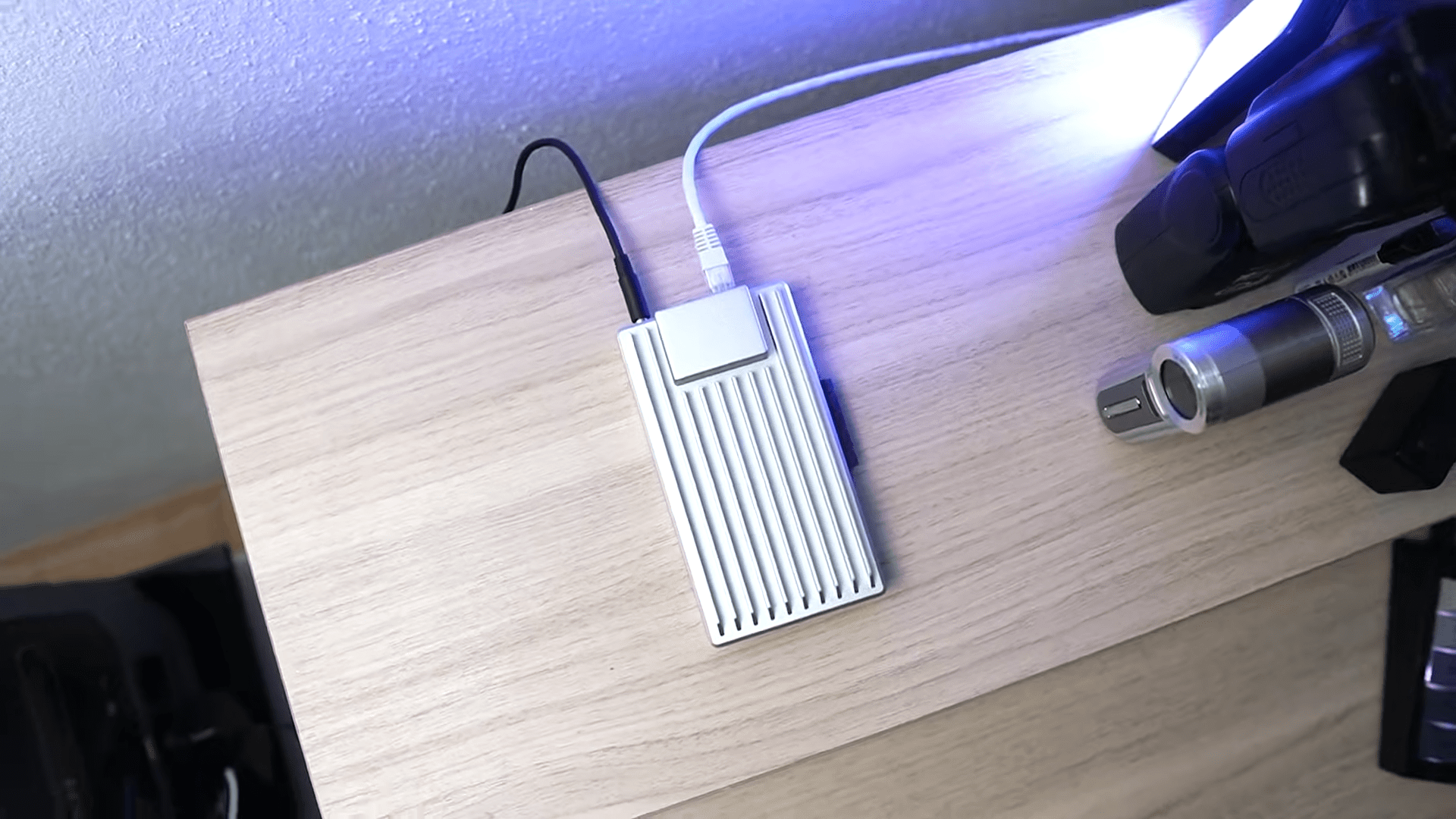
Home servers have traditionally been bulky, loud towers that demand a dedicated closet and significant maintenance. The ZimaBoard 2 completely flips this narrative by offering a server that is practically the size of a sandwich yet powerful enough to manage a digital empire. This device enters the market as a pocket-sized powerhouse designed specifically for tech enthusiasts, home lab junkies, and self-hosting advocates who want to control their own data without the footprint of a standard PC.
The ZimaBoard 2 functions essentially as a mini PC but is engineered for “grown-up” tasks rather than just basic computing. It is built to handle network-attached storage (NAS), media serving, routing, and smart home management.
Availability is a key factor for devices in this niche. You can find the ZimaBoard 2 listed on Amazon, where it competes for the attention of DIY builders worldwide. Determining whether this tiny board is worth your hard-earned cash requires a close look at its specifications and real-world capabilities. I have broken down exactly what makes this unit tick and where it stands in the current market of compact server solutions.

Processing Power and Model Variations
Under the hood, the ZimaBoard 2 runs on an Intel Processor N150. This is a quad-core Twin Lake chip that clocks up to 3.6 GHz. I found this processor to be surprisingly capable for such a small form factor. It handles juggling Docker containers, managing Plex streams, and running local AI applications with relative ease. It is fast enough to ensure your digital tasks run smoothly without making you wait, provided you keep your expectations within the realm of low-power silicon.
Buyers have two distinct models to choose from depending on their needs. The first is the 832 model, which comes equipped with 8GB of LPDDR5X RAM and 32GB of eMMC storage. This entry-level option is sufficient for basic routing or light container loads. The more robust option is the 1664 model, which doubles the memory to 16GB of RAM and increases the onboard storage to 64GB.

These specifications place the device firmly in the territory of serious hobbyist gear. The inclusion of LPDDR5X memory ensures that data moves quickly through the system, which is essential when running multiple services simultaneously. While it is not a workstation-class CPU, the N150 provides a solid balance of efficiency and speed for the types of headless applications most users will deploy on a board like this.
Expansion Capability and Connectivity Ports
The back of the ZimaBoard 2 is a dream for anyone who loves connectivity. IceWhale Technology did not settle for standard gigabit speeds; instead, they included dual 2.5GbE LAN ports. This allows for high-speed networking, which is ideal if you plan to use the device as a router or a high-bandwidth firewall. The inclusion of a Mini DisplayPort 1.4 handles video output, making it easy to troubleshoot directly or use as a media player.
Storage expansion is a highlight of this design. The unit features two SATA 3.0 ports that include power, meaning you can easily attach external drives to build your own compact NAS or backup rig. You are not limited to the internal eMMC storage, which is a massive win for data hoarders. I appreciate that the design encourages you to slap on extra storage without needing complex workarounds.

The most versatile feature is undoubtedly the PCIe 3.0 x4 slot. This expansion slot allows you to add specific hardware to suit your project, whether that is an NVMe SSD for fast cache storage or a fancy network card for even more connectivity. This level of modularity is rare in devices this size and allows the ZimaBoard 2 to adapt to various roles in a home lab.
Passive Cooling Design and Thermal Constraints
One of the most attractive features of the ZimaBoard 2 is its completely fanless architecture. The sleek, metallic body acts as a giant heatsink, allowing the device to run in glorious silence. You do not have to worry about noisy fans whirring in the middle of the night, which makes it perfect for living rooms or quiet offices.
Silence does come with a trade-off regarding temperature management. The device relies entirely on passive cooling, which means that under heavy load, it can get warm. Pushing the CPU to its limits with too many virtual machines or intense Plex transcoding sessions may cause the system to throttle. It tries to protect itself from a meltdown by reducing speed, so heavy users should be mindful of airflow and ambient temperatures.

This thermal behavior is something to consider if you plan on maxing out the processor 24/7. It handles bursty workloads well, but sustained high-performance tasks might result in the device smelling like “disappointment,” as the transcript humorously puts it. For most standard home server tasks, however, the silent operation outweighs the thermal limitations.
Software Ecosystem and Operating System
The ZimaBoard 2 utilizes x86 architecture, which ensures broad compatibility with almost any operating system. It plays nice with Linux, Windows, and virtually any other platform you might want to install. This openness is a major advantage over ARM-based boards, as it simplifies the process of finding compatible software packages and Docker containers.
Out of the box, the device ships with ZimaOS. This is a Linux-based operating system designed for simple self-hosting with a clean, easy-to-use web interface. It makes setting up file management, backups, and remote access incredibly straightforward. For users who want a “plug and play” experience, ZimaOS removes the friction often associated with setting up a home server.

Hardcore tinkerers might find the default OS a bit polarizing. Some users feel that ZimaOS can be slightly locked down compared to a raw Linux distribution. Fortunately, you are free to wipe the drive and install Ubuntu, Debian, or any other flavor of Linux that suits your workflow. The only notable hardware omission is the lack of built-in Wi-Fi or Bluetooth, meaning you are tethered to a wired connection unless you add a USB adapter.
Final Thoughts — Price & Value
The ZimaBoard 2 occupies a unique niche in the tech market. It strikes a compelling balance between performance, portability, and “geek appeal.” It caters perfectly to those who want to self-host their applications rather than relying on cloud services.
Value is subjective, but for the specific demographic of home lab enthusiasts, this board offers a high return on investment. You get a silent, expandable, x86 system that can replace a router, a NAS, and a media server all at once. The ability to expand via PCIe and SATA makes it far more versatile than a standard mini PC or a locked-down consumer NAS appliance.
I believe the ZimaBoard 2 is worth the investment for anyone looking to build a compact data center. Despite the thermal throttling under extreme loads and the lack of wireless connectivity, the sheer utility and build quality make it a standout product. It is a specialized tool for a specialized audience, and if that sounds like you, this little metal brick is likely to become your new favorite toy.
