

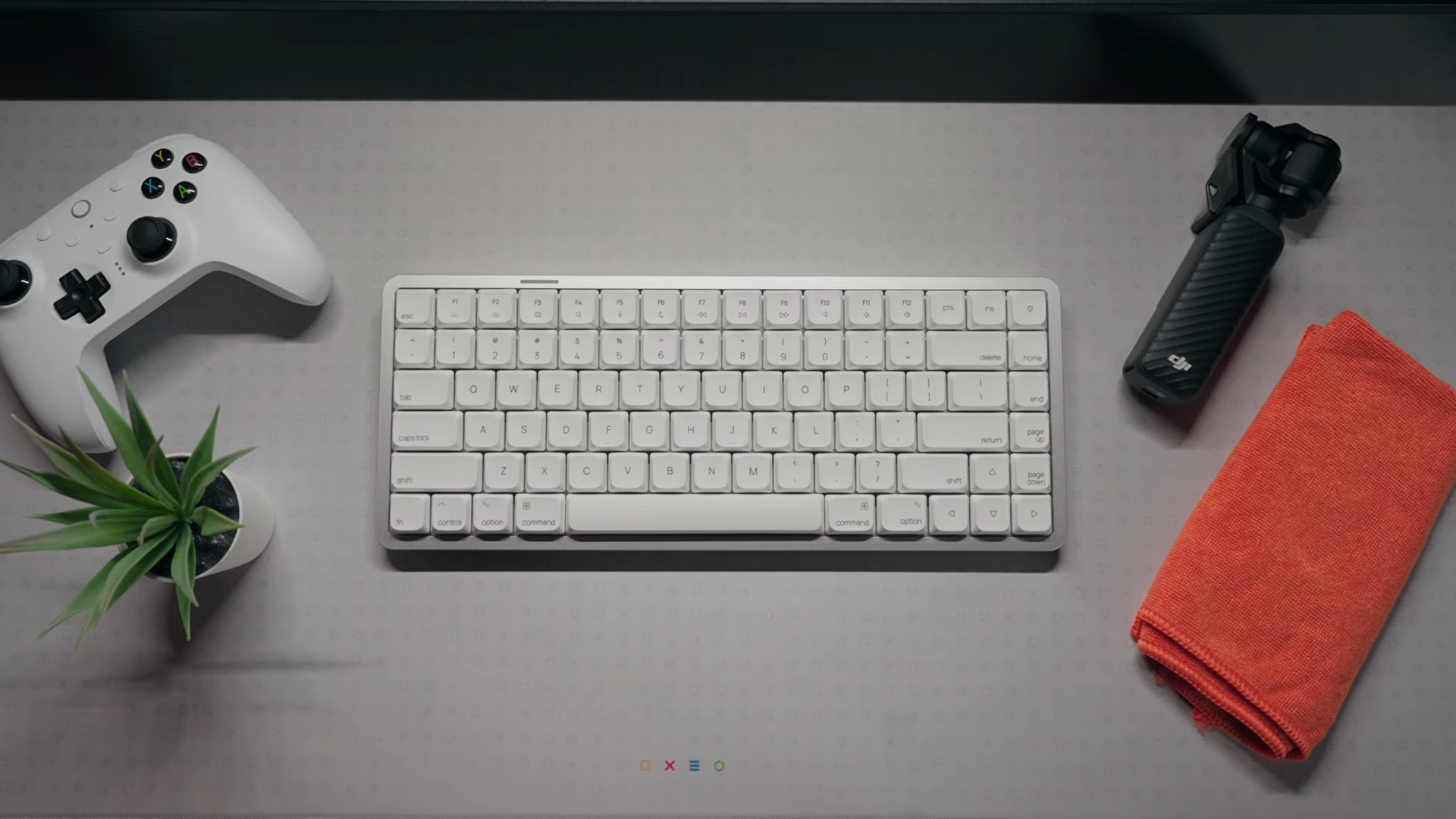
This keyboard, the AKKo Model Air 1, arrived on my desk with little initial fanfare but quickly proved itself as one of the finest low-profile typing tools currently on the market. It took me completely by surprise, rapidly earning a spot as one of my top three favorite keyboards of 2026. I am excited to share a comprehensive breakdown of why this underhyped device deserves your attention.
Finding a high-quality mechanical keyboard with a full aluminum chassis usually requires a substantial financial investment. Retailing at an incredibly competitive manufacturer’s suggested retail price (MSRP) of $99, this board changes the value equation entirely by offering premium build quality at a double-digit price point.

Unboxing Experience and Included Accessories
Unboxing the keyboard reveals a standard low-profile retail box showcasing a clean visual representation of the device. Inside, a generous layer of protective packaging keeps the hardware secure during transit.
Underneath the protective materials, the package includes a vital instruction manual containing critical shortcuts and hotkeys that users will need to reference. The included accessory box contains essential maintenance tools such as a keycap puller, a switch swapper, spare Windows-specific keycaps, and the wireless USB-A receiver.

Full Aluminum Build and Structural Design
Constructed with a full metal body from top to bottom, the keyboard possesses a premium aluminum build that defies its entry-level price point. Remarkably, the chassis remains incredibly lightweight, making it one of the most portable full metal boards currently available. The clean aesthetic resembles a refined version of the popular Lofree Flow, omitting unnecessary structural protrusions for a sleeker profile.

Looking at the underside reveals a smooth metallic backplate that maintains the clean design language. However, the lack of integrated height-adjustment feet means users are restricted to a single native typing angle. This fixed angle might require an adjustment period for some typists, though it remains highly functional.
Toggles located on the back of the housing allow for quick switching between macOS and Windows layouts, alongside physical controls for selecting connectivity modes. Unfortunately, the chassis lacks a dedicated magnetic slot to store the wireless USB-A dongle, which is a minor oversight for an otherwise well-planned external layout.

Keycaps, RGB Lighting, and Kailh Cloud Switches
Equipped with a compact 75% layout, the board preserves the essential function row while saving valuable desk space. High-quality dye-sublimated PBT keycaps cover the switches, providing excellent resistance against finger oils and moisture over extended typing sessions. These keycaps feature a slightly textured, grainy feel that enhances tactile grip.

Vibrant RGB backlighting illuminates the keys, with onboard hotkeys allowing for direct lighting customization without software. A dedicated LED indicator on the board serves a dual purpose, acting as a customizable accent light and a clear visual battery gauge. Hot-swappable sockets sit beneath the keycaps, enabling easy switch replacement with compatible low-profile Kailh hardware.
Typing feedback relies on the Kailh Cloud linear switch, which delivers a surprisingly tactile-adjacent experience despite its linear classification. These switches provide deep key travel, heavy resistance, and a distinct springy pushback that sets them apart from typical light linear options.

Dampened Gasket Mount and Acoustic Profile
Engineered with a high-performance gasket mount, the keyboard delivers an exceptionally dampened typing sound. Unlike rival options like the NuPhy Air V2, which can produce a slightly hollow acoustic signature, this model generates a tightly contained and solid acoustic profile. The acoustic dampening materials work harmoniously with the lightweight aluminum case to eliminate metallic pinging.
Pressing the keys yields a heavier, highly deliberate sensation due to the unique spring weighting of the Kailh Cloud switches. This design provides more feedback per keystroke compared to standard linear alternatives, appealing directly to typists who favor physical resistance. The bounce-back speed feels slightly slower, creating a highly tactile typing flow that rewards precise inputs.

Tri-Mode Connectivity and Mass Battery Capacity
Equipped with robust tri-mode connectivity, the keyboard accommodates virtually any modern workspace configuration. Wireless connections include Bluetooth 5.0, which supports up to three independent device pairings, alongside a low-latency 2.4 GHz connection utilizing the bundled USB-A receiver. A traditional wired connection remains available via the USB-C port for zero-latency operation and charging.
Powering the wireless hardware is a massive 4,500 mAh internal battery, representing one of the largest capacities found in the low-profile segment. Testing over a two-week period of constant use failed to drain the battery, indicating highly optimized power draw. Operating the device with the RGB backlighting deactivated should easily yield six to eight weeks of continuous uptime.

Web-Based Customization Software
Omitting native QMK or VIA firmware support may disappoint some open-source keyboard enthusiasts. However, custom mapping and macro programming remain highly accessible through a proprietary web-based driver. The AKKo Cloud software utility operates entirely within a web browser, eliminating the need to install bloatware on your computer.
This browser-based customization interface ensures that configuring layouts and lighting patterns remains straightforward across different operating systems. Users can easily remap keys and create custom profiles directly through the browser tab. The ease of access offsets the lack of open-source firmware, maintaining a seamless user experience.

Final Thoughts — Price & Value
Priced at an accessible $99 MSRP, this keyboard undercuts its primary competition by a significant margin. The closely matched Lofree Flow 2 commands a premium price of around $170, yet this model delivers a comparable full metal construction and an equally refined typing experience for a fraction of the cost. Similarly, competing options like the NuPhy Air 75 V2 cost roughly $40 more while lacking the premium feel of a full aluminum chassis.

Choosing this keyboard means accepting minor omissions like the absence of adjustable typing feet and the lack of native QMK/VIA support. These small compromises pale in comparison to the massive value proposition of a lightweight aluminum build, an outstanding gasket-mounted acoustic profile, and an industry-leading 4,500 mAh battery. I can wholeheartedly recommend this hardware as a top-tier low-profile mechanical keyboard that punches far above its price bracket.
