

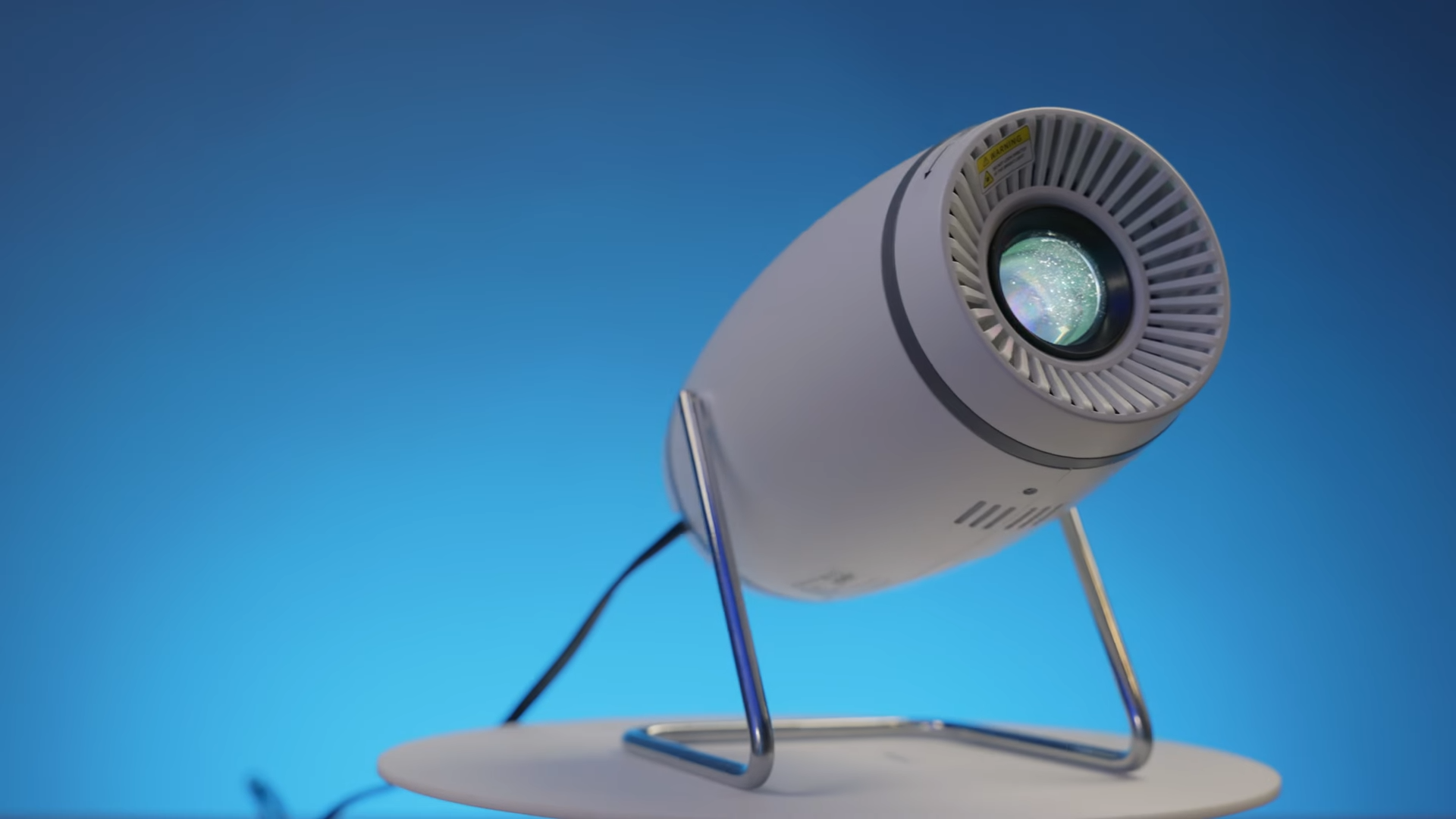
I have spent the last couple of weeks putting the FearWiky mini projector through its paces, moving it between my office, my living room, my bedroom, and even taking it outdoors. This compact device aims to redefine home entertainment by offering a highly flexible projection system that challenges traditional, static projectors.
My testing focused on real-world usability rather than just reading a spec sheet. Having analyzed its performance across different environments, I have developed a clear picture of where this device excels and where it falls short. This analysis will guide you through its features, image capabilities, and unique design choices to help you decide if it deserves a spot in your home.

Rotatable Design and Flexible Projection
The standout feature of this hardware is its highly flexible chassis, which allows the lens to angle itself freely. This rotatable design opens up a wide range of installation possibilities that traditional, boxy projectors simply cannot match. During my testing, I successfully projected movies onto standard screens, aimed the beam higher to display huge images on the side of my house, and even cast vibrant visuals directly onto bedroom ceilings.

Creating a temporary home cinema on the ceiling is incredibly easy, making it an excellent option for children’s sleepovers or relaxing in bed. Setting up a colorful galaxy display on the ceiling transformed the bedroom environment instantly. This physical flexibility elevates the device beyond a simple media player, turning it into a dynamic tool for creative home lighting and casual viewing.
Standard projectors require complex mounts or precarious stacks of books to achieve these angles. The FearWiky solves this issue through its integrated rotating base, which holds its position reliably. This physical adaptability makes it incredibly easy to transition from a formal living room movie night to a casual ceiling projection without needing extra equipment.

Image Quality and Resolution Capabilities
A native 1080p resolution engine drives performance, though the system successfully supports 4K content input. I tested several high-definition movie trailers and landscape videos, finding that the resulting image looked remarkably vibrant, smooth, and detailed. The projector accepts a high-resolution 4K signal and downscales it beautifully to deliver a crystal-clear 1080p output on your chosen surface.

Screen size flexibility ranges from 40 inches all the way up to a massive 130 inches. My hands-on analysis revealed that the absolute sweet spot for this hardware is sitting roughly five feet away from the wall, displaying an image size of about 60 inches. Operating at this specific distance maximizes color saturation and sharpness, delivering the most visually satisfying results.
High-ambient light environments do pose a challenge, as the projector lacks the extreme brightness needed to combat heavy daytime glare. Darkened rooms at night remain the absolute best scenario for viewing, where the colors truly pop and contrast levels look their best. Daytime viewing is still acceptable for casual content, but dimming the lights is necessary to appreciate the finer details of darker cinematic scenes.

Software, Wi-Fi 6, and Smart Screen Mirroring
Modern connectivity features are well-represented here, starting with integrated Wi-Fi 6 technology. This advanced wireless standard ensures fast streaming speeds and reduces buffering delays when accessing the built-in app store. Users can download their favorite streaming applications directly onto the projector, eliminating the constant need for external streaming sticks or media players.

Color and image customization is accessible through several preset image modes. I spent time switching between standard, movie, and vivid profiles to match the specific content I was watching. These options allow you to quickly boost contrast for colorful animated films or opt for a warmer, more color-accurate tone during cinematic dramas.
Smartphone compatibility is handled via AirPlay and MirrorCast technologies, allowing you to mirror your mobile device screen directly. You must keep in mind that copyright protections prevent the mirroring of premium streaming applications directly from your phone. Optimal performance during mirroring requires both your smartphone and the projector to remain physically close to your home wireless router to avoid stuttering. Keeping these devices near your network hardware ensures a strong, uninterrupted connection for seamless mirroring results.

Snappy Auto Keystoning and Physical Controls
Pointing a projector at different angles usually results in a distorted, skewed image that requires tedious manual adjustment. The FearWiky solves this headache entirely with its snappy auto-keystone technology, which automatically straightens the picture during transitions. I watched the image self-correct almost instantly when moving the beam from the wall up to the ceiling.
Manual keystone adjustments remain available in the settings menu for users who prefer absolute precision over automatic correction. The physical chassis itself features a manual focus wheel near the front lens to ensure crisp text and sharp details. The back of the device houses essential physical inputs, including an HDMI port, a USB port, and a standard 3.5mm headphone jack.

Power delivery features a unique design choice, as the power cord is directly integrated into the body of the projector. This hardwired cable setup is a first for this class of device, ensuring you never misplace your power adapter. Navigating the interface is simplified by the inclusion of a compact, dedicated remote control that handles menu selections and volume adjustments. Having physical ports like HDMI, USB, and a headphone jack on the back of the device ensures you can easily connect legacy media players or wired audio equipment.
Audio Performance and Speaker Limitations
Sound reproduction represents the most obvious compromise in this compact form factor. While the built-in speaker produces clean audio that is perfectly usable in quiet spaces, it struggles to deliver deep bass or high volume. It is easily the weakest aspect of the entire package, requiring some external help if you want an immersive theater experience.
External audio solutions are highly recommended to elevate your viewing experience. Connecting a dedicated Bluetooth speaker, a soundbar, or a pair of headphones via the physical 3.5mm auxiliary jack solves this volume limitation easily. This simple addition transforms the setup, matching the impressive 1080p visuals with equally powerful audio. Relying on these external options allows you to build a much more immersive environment than what the tiny built-in speaker can provide on its own.

Final Thoughts — Price & Value
The FearWiky mini projector offers a compelling value proposition by prioritizing physical versatility and ease of use. Having the ability to freely rotate the lens and rely on snappy automatic keystone correction removes the usual frustrations associated with portable projection setups. This ease of installation, combined with solid 1080p image performance at a sweet spot of 60 inches, makes it an attractive budget option on platforms like AliExpress and Amazon.
Minor drawbacks such as limited brightness and weak onboard audio prevent it from competing with high-end, expensive home theater systems. These limitations are easily mitigated by utilizing external Bluetooth speakers and darkening your viewing room.
