

The Attack Shark R5 Turbo challenges the ultra-lightweight esports gaming mouse market by pairing a next-gen Nordic nRF54LM20 high-speed controller with a true 8000Hz polling rate receiver and a PixArt PAW3395 Max optical sensor. Weighing just 45 grams with an ultra-rigid composite carbon shell, our in-depth hands-on testing evaluates whether its sub-$80 street price delivers genuine flagship competitive performance.
Attack Shark R5 Turbo Gaming Mouse
The Verdict: An ultra-lightweight 45g tournament-grade gaming mouse featuring next-gen Nordic nRF54LM20 processing, native 8000Hz wireless polling, crisp 100M Omron switches, and a rock-solid composite carbon honeycomb chassis.
The Good (Pros)
- Featherlight 45g weight combined with an exceptionally rigid composite carbon skeleton
- Next-generation Nordic nRF54LM20 MCU powering true 8000Hz wireless polling
- Flawless PixArt PAW3395 Max optical sensor tracking with up to 60,000 DPI
- Crisp, tactile Omron 100M optical microswitches with zero detectable pre-travel
- Convenient Chromium web-based driver hub eliminating bulky background software
- Generous retail bundle with shark-fin 8K dongle, grip tapes, and extra virgin PTFE skates
The Bad (Cons)
- Honeycomb perforation design allows dust ingress over prolonged desk use
- Aggressive 8000Hz polling reduces battery endurance compared to 1000Hz mode
- Lacks onboard dongle storage compartment inside the chassis
Quick Navigation (Table of Contents)
- Specifications at a Glance
- Design Craftsmanship, Carbon Composite Shell & Perforation Rigidity
- Primary Split Clickers, Omron 100M Switches & Tactile Scroll Encoder
- Sensor Architecture, PixArt PAW3395 Max & Virgin PTFE Glide Dynamics
- Chassis Ergonomics, Weight Balance & Grip Style Versatility
- 8000Hz Polling Rate, Nordic nRF54LM20 Processing & Esports Latency
- Tri-Mode Connectivity, Web-Driver Hub & 290mAh Battery Endurance
- Final Thoughts — Price & Value
- Frequently Asked Questions (FAQ)
Specifications at a Glance
| Hardware Specification | Attack Shark R5 Turbo Details |
|---|---|
| Optical Sensor | PixArt PAW3395 Max (Up to 60,000 DPI, 750 IPS, 50G Acceleration) |
| Microcontroller (MCU) | Nordic Semiconductor nRF54LM20 High-Speed 32-bit ARM Controller |
| Polling Rate | Native 8000Hz (0.125ms latency) via included 8K Shark-Fin Receiver |
| Primary Switches | Omron Optical Microswitches (Rated for 100 Million Clicks) |
| Chassis Weight | 45g ± 1g (Sub-50g Ultra-Lightweight Class) |
| Shell Material | Rigid Composite Carbon-Fiber Polymer with Triangular Perforations |
| Connectivity Modes | Tri-Mode (2.4GHz Wireless, Low-Latency Bluetooth 5.2, USB-C Wired) |
| Battery Capacity | 290mAh Lithium-ion (~3 weeks at 1000Hz, 5–7 days at 8000Hz) |
| Skates / Feet | 100% Virgin Grade PTFE (Extra replacement set included in box) |
| Dimensions & Shape | 120 × 64 × 38 mm (Symmetrical Medium Size / Universal Grip) |
| Configuration Hub | Modern Chromium Web Hub (Driverless Browser-Based Tuning) |
Design Craftsmanship, Carbon Composite Shell & Perforation Rigidity
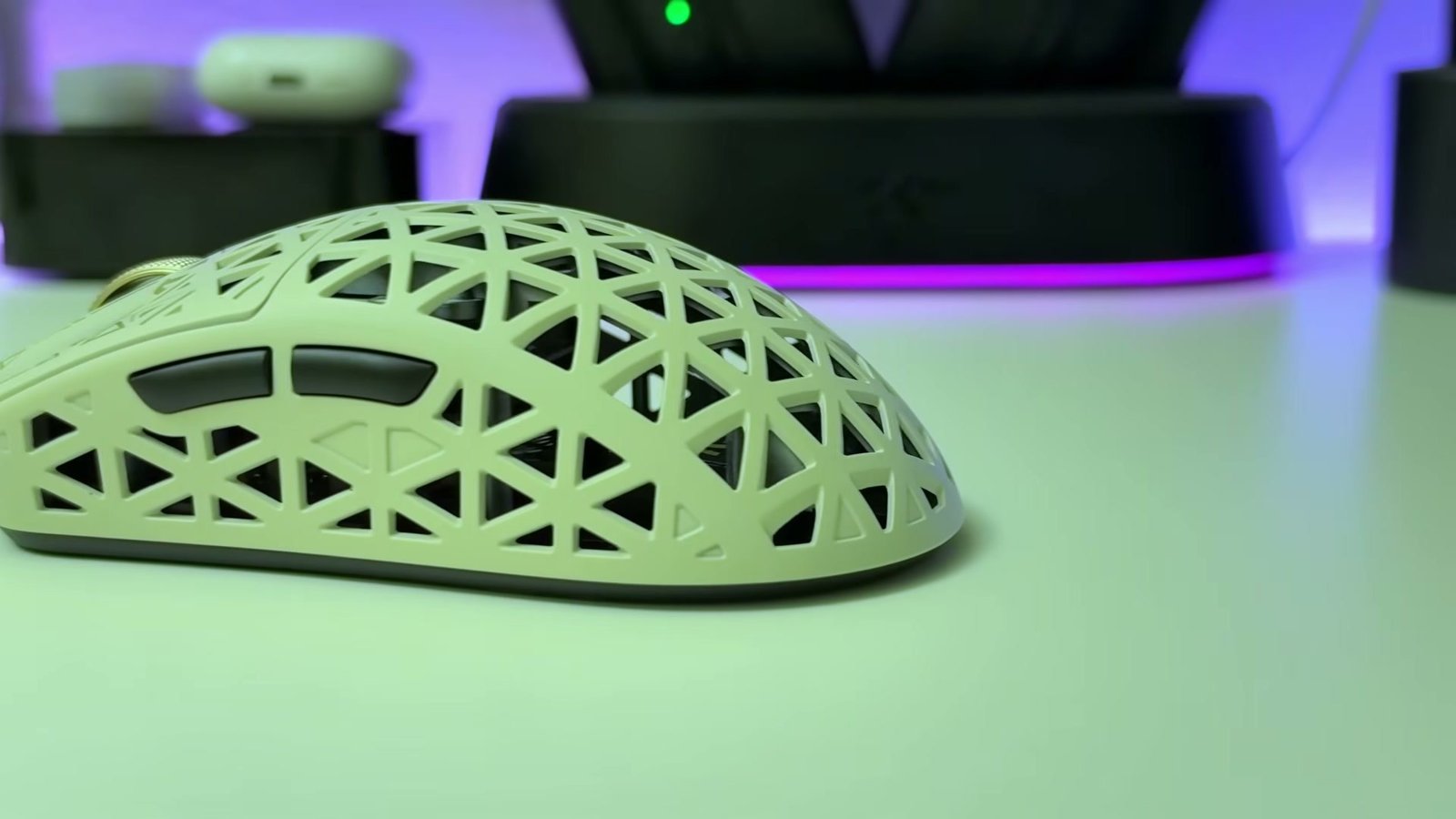
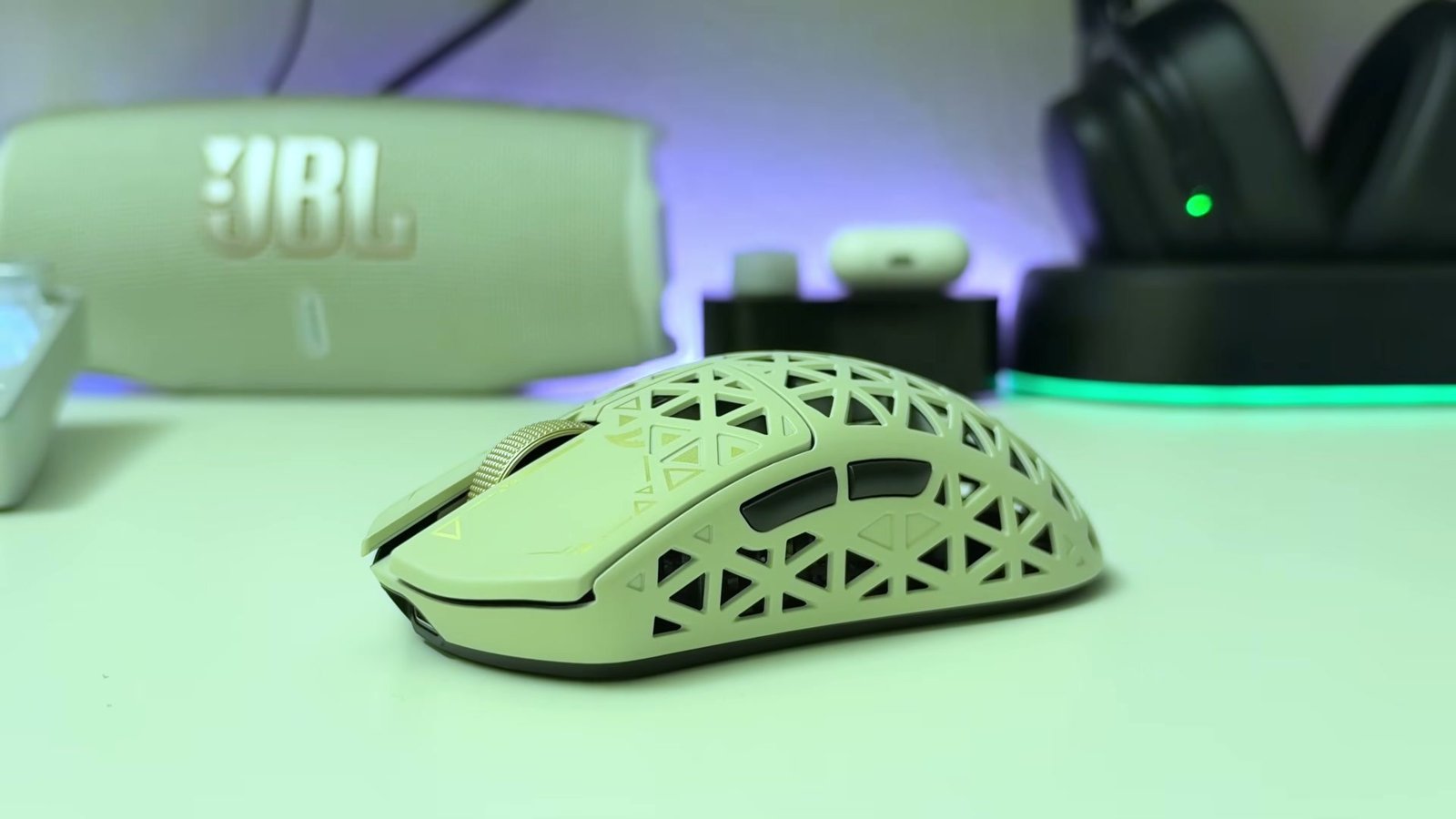
Holding the Attack Shark R5 Turbo immediately dispels any preconceived notions about perforated budget mice feeling hollow or brittle. While many sub-50g contenders rely on flimsy ABS injection molding that creaks during intense gaming clutches, the R5 Turbo employs an advanced composite carbon-fiber formulation blended into its polymer matrix. The structural framework features sharp geometric triangular cutouts spanning the palm rest, bottom plate, and side flanks. Under deliberate, high-pressure lateral squeezing across all contact points, the chassis exhibits zero chassis deflection, zero side-panel flex, and absolutely no creaking sounds.
Aesthetic execution is equally distinctive. Instead of generic monochrome styling, our test unit pairs a muted light gray exterior with striking metallic gold accents on the scroll wheel and button trim, complemented by matte black side buttons and an all-black baseplate. The surface finish possesses a tactile dry-matte texture that resists fingerprint smudges and maintains secure friction even during heated, perspiration-heavy FPS competitive matches. Weighing exactly 45 grams on precision digital scales, the mouse effortlessly reduces wrist inertia without sacrificing rigid physical build integrity.
Primary Split Clickers, Omron 100M Switches & Tactile Scroll Encoder
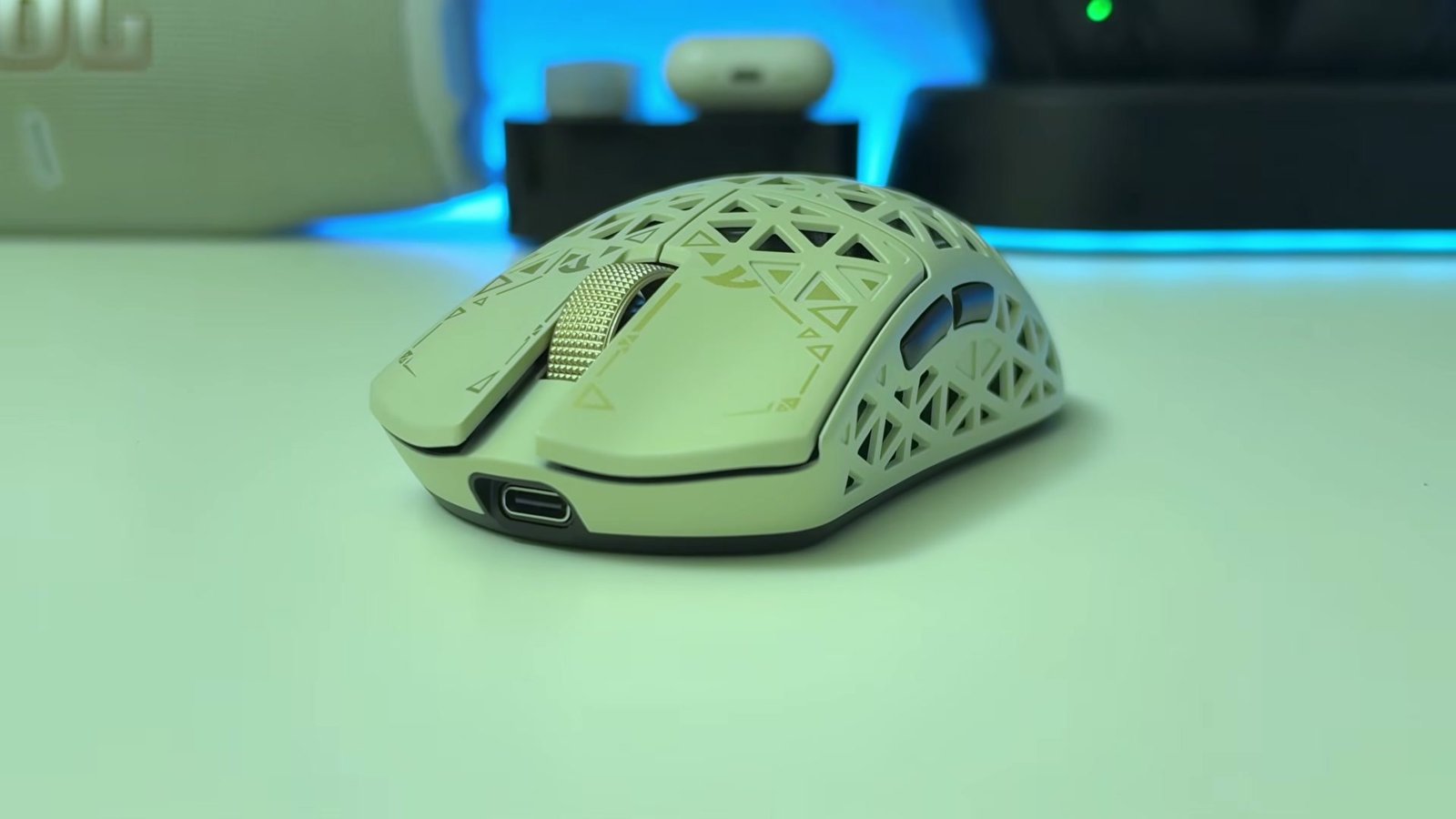
Switch implementation represents one of the most substantial upgrades in the R5 Turbo. Beneath the split left and right click paddles lie authentic Omron optical microswitches rated for 100 million clicks. Button tolerances are exceptionally tight: pre-travel is virtually microscopic, actuation requires a crisp and snappy tactile force, and post-travel is cleanly arrested before the paddle can bottom out against the frame. Crucially, lateral button wobble (side travel) is entirely absent, ensuring consistent tactile feedback whether you click near the front edge or further back toward the center hump.
Centering the top assembly is a gold-accented scroll wheel featuring a textured rubberized grip ring and an upgraded dust-proof mechanical encoder. Scrolling delivers tactile, well-defined step notches that prevent accidental weapon cycling during fast-paced shooters, yet rolls smoothly and quietly during continuous document navigation. The middle-click switch requires moderate actuation pressure with a crisp, low-resonance click, and the two dedicated thumb buttons on the left flank are positioned cleanly above the natural resting groove to prevent inadvertent actuation while providing instantaneous thumb access.
Sensor Architecture, PixArt PAW3395 Max & Virgin PTFE Glide Dynamics
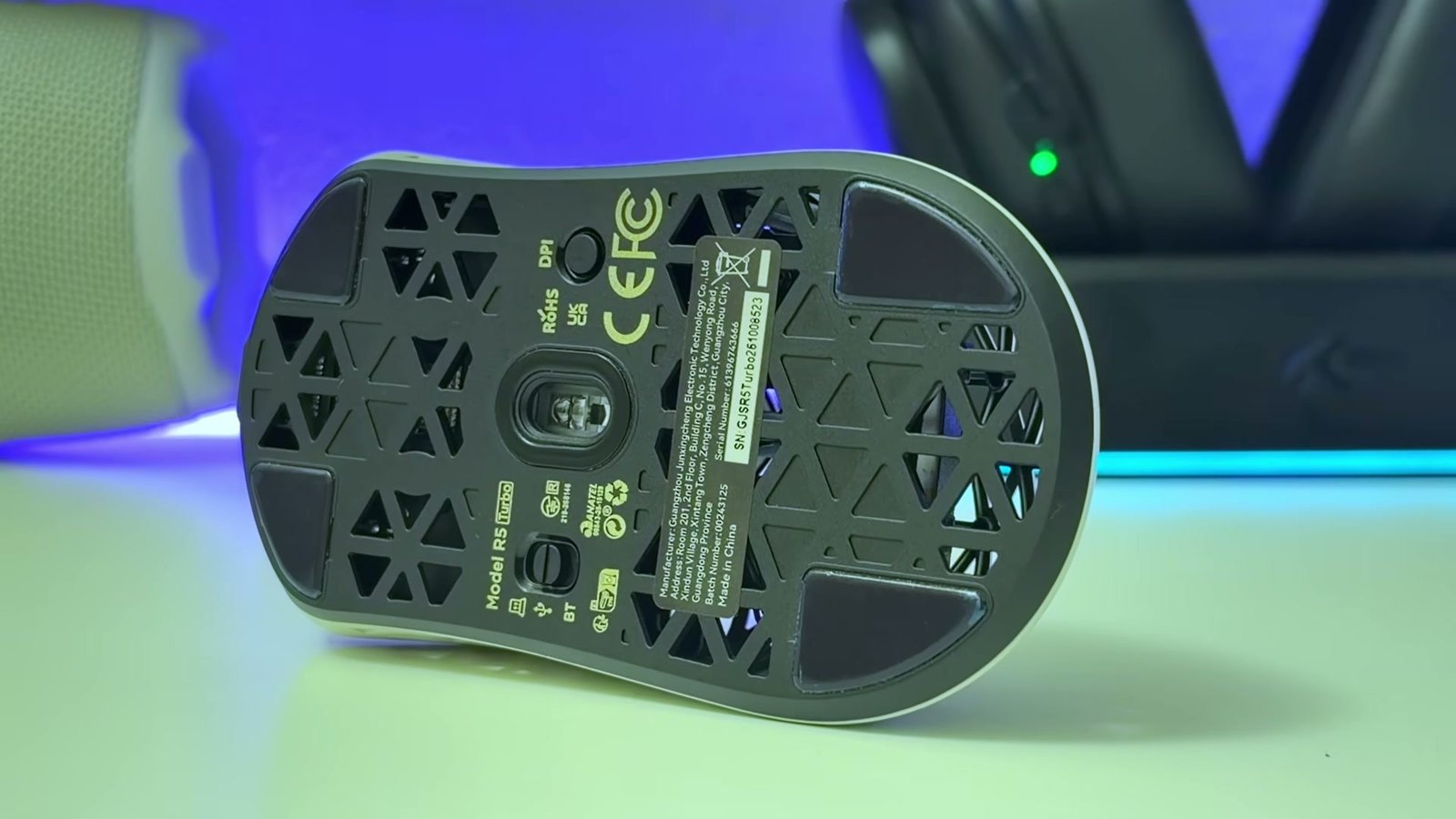
The underside architecture of the Attack Shark R5 Turbo reveals a focused, clean layout tailored for high-speed tracking consistency. At its heart sits the PixArt PAW3395 Max optical sensor, delivering genuine 1:1 hardware tracking, up to 60,000 DPI through high-precision firmware interpolation, 750 IPS tracking velocity, and 50G maximum acceleration. In intensive synthetic testing and CS2 recoil-tracking drills, the sensor demonstrated flawless motion linearity with zero smoothing, no angle snapping, and zero spin-outs even during violent, low-sensitivity flicks.
Gliding performance is governed by pure virgin-grade white PTFE feet positioned along the upper curve, around the sensor aperture, and across the bottom perimeter. The skate edges are smoothly rounded, preventing the chassis from scraping or digging into plush soft-cloth mousepads. The baseplate also houses a physical three-position slider switch for toggling between 2.4GHz wireless, wired power-off, and Bluetooth modes, accompanied by a dedicated hardware DPI cycling button with an integrated multi-color LED indicator for quick on-the-fly sensitivity changes.
Chassis Ergonomics, Weight Balance & Grip Style Versatility
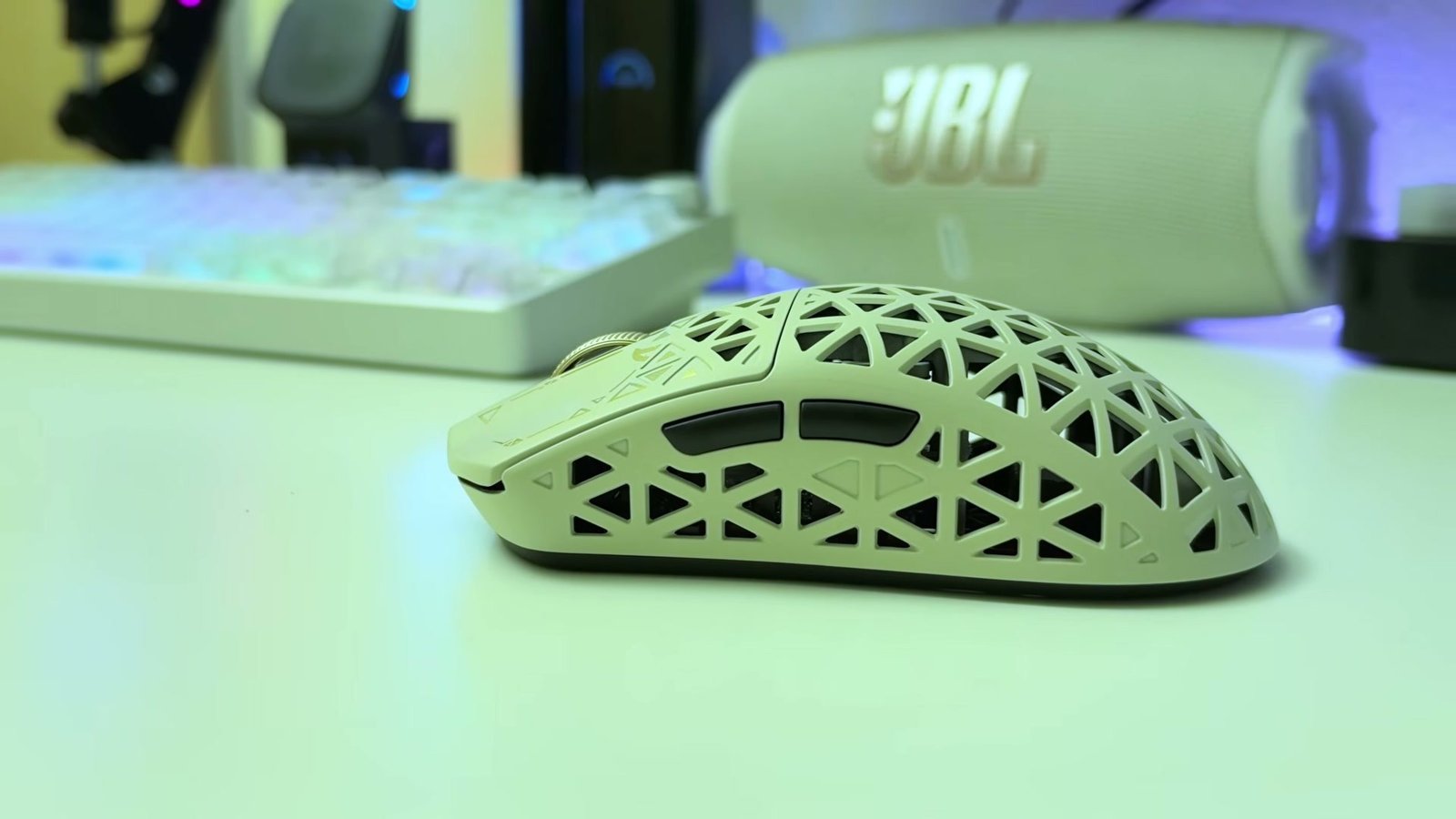
Measuring 120mm in length, 64mm in width, and 38mm in peak height, the Attack Shark R5 Turbo adopts a medium (Size M) symmetrical silhouette that accommodates a broad spectrum of hand dimensions and grip preferences. The center hump rises with a gentle, balanced curve, offering just enough palm support for relaxed claw grip styles without obstructing micro-adjustments in pure fingertip grips. The front button height is kept aggressively low, keeping fingers close to the tracking surface for heightened positional awareness.
Center of gravity testing confirms a near-perfect 50/50 front-to-rear weight balance, eliminating any noticeable nose-diving or tail-heavy tilting when picking up the mouse during high-speed recentering. For gamers with medium-to-large hands (18–20 cm), claw grip provides an exceptional blend of knuckle anchoring and flick responsiveness. Furthermore, Attack Shark thoughtfully includes custom pre-cut anti-slip grip tapes in the retail package, allowing users to tailor side friction to their exact tactile preference.
8000Hz Polling Rate, Nordic nRF54LM20 Processing & Esports Latency
The flagship technological triumph of the R5 Turbo lies in its internal processing hardware. Where earlier iterations relied on the venerable Nordic nRF52840, the R5 Turbo transitions to Nordic Semiconductor's next-generation nRF54LM20 high-speed controller. Bundled directly in the retail box is Attack Shark's signature shark-fin 8K wireless receiver, featuring a high-gain internal antenna, USB-C input port, non-slip rubberized footing, and a dynamic multi-color status LED.
When configured to true 8000Hz wireless polling, report intervals drop from the conventional 1.0ms down to an astonishing 0.125ms. In pairing with high-refresh gaming monitors (240Hz, 360Hz, and 540Hz), motion blur between cursor redraw intervals is visibly eradicated, yielding micro-tracking fluidity that feels instantaneously locked to hand movement. Synthetic benchmark utilities confirm stable 8000Hz packet throughput with negligible jitter, giving competitive Valorant, Apex Legends, and Overwatch players a tangible mechanical advantage in high-stress duels.
Tri-Mode Connectivity, Web-Driver Hub & 290mAh Battery Endurance
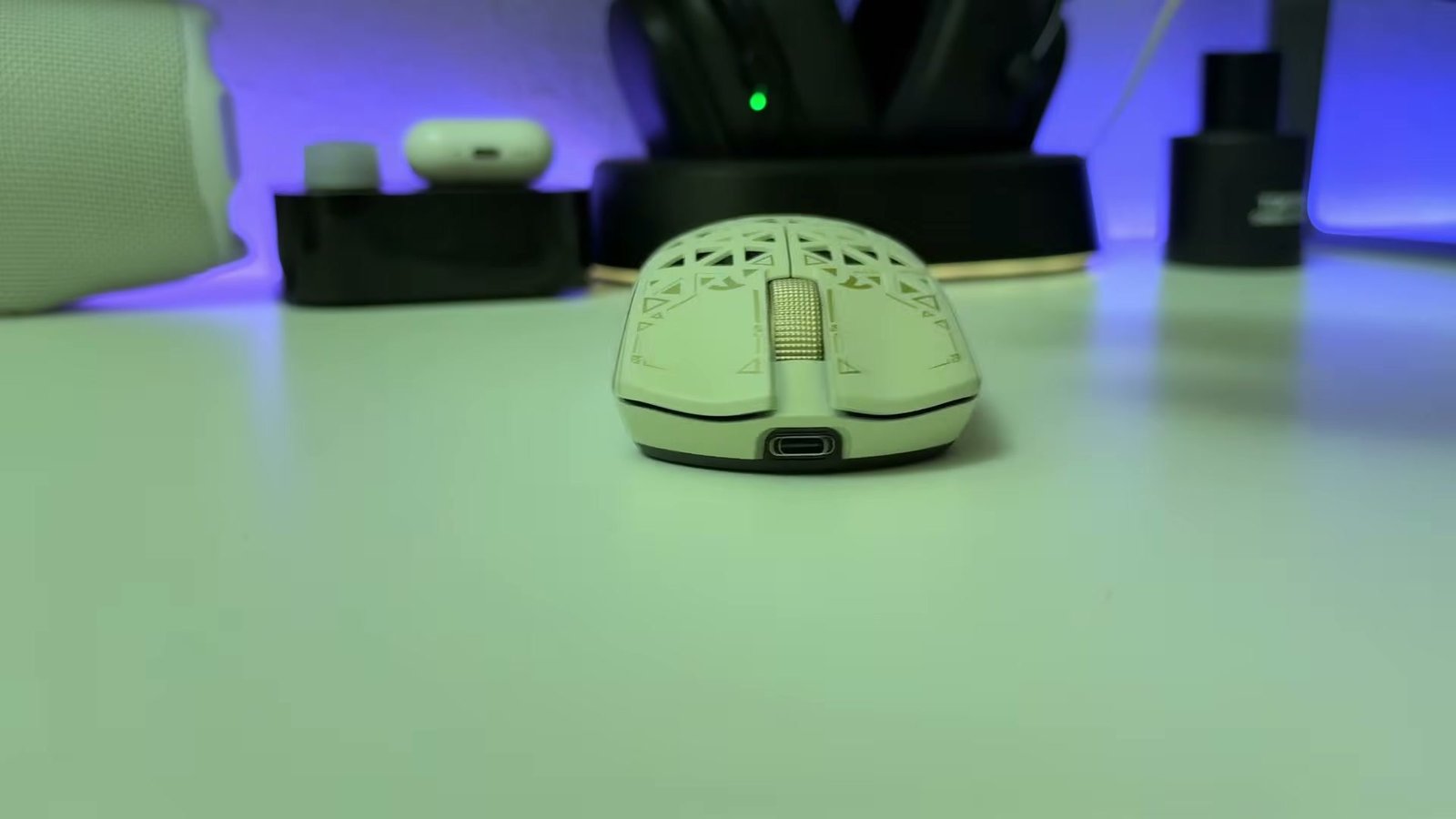
Versatility is reinforced by robust tri-mode connectivity. Alongside ultra-low-latency 2.4GHz wireless through the 8K receiver, the R5 Turbo features Bluetooth 5.2 for laptop productivity on the go, as well as zero-latency wired gameplay via the included high-durability paracord USB-C cable. Onboard energy is supplied by an upgraded 290mAh lithium battery. At standard 1000Hz polling, efficiency algorithms deliver up to three weeks of daily gameplay. Even under continuous, taxing 8000Hz esports usage, the mouse reliably lasts 5 to 7 days before prompting a recharge via its front-mounted USB-C port.
Software management represents another massive quality-of-life win: Attack Shark utilizes a modern Chromium web-based driver hub. Instead of installing intrusive background utilities that consume RAM and system resources, users simply connect to the official web portal in Chrome or Edge to customize DPI stages, adjust lift-off distance (1mm or 2mm LOD), tune click debounce times, rebind keys, and monitor live battery percentage directly in the browser.
Final Thoughts — Price & Value
At around $79.99 on AliExpress and Amazon, the Attack Shark R5 Turbo sets an exceptional price-to-performance standard in the ultra-lightweight gaming mouse category. Integrating the next-gen Nordic nRF54LM20 MCU, true 8000Hz polling rate, flawless PixArt PAW3395 Max sensor, and a rock-solid 45g composite carbon shell, it delivers tournament-level precision and agility that comfortably rival premium esports flagships costing twice as much.
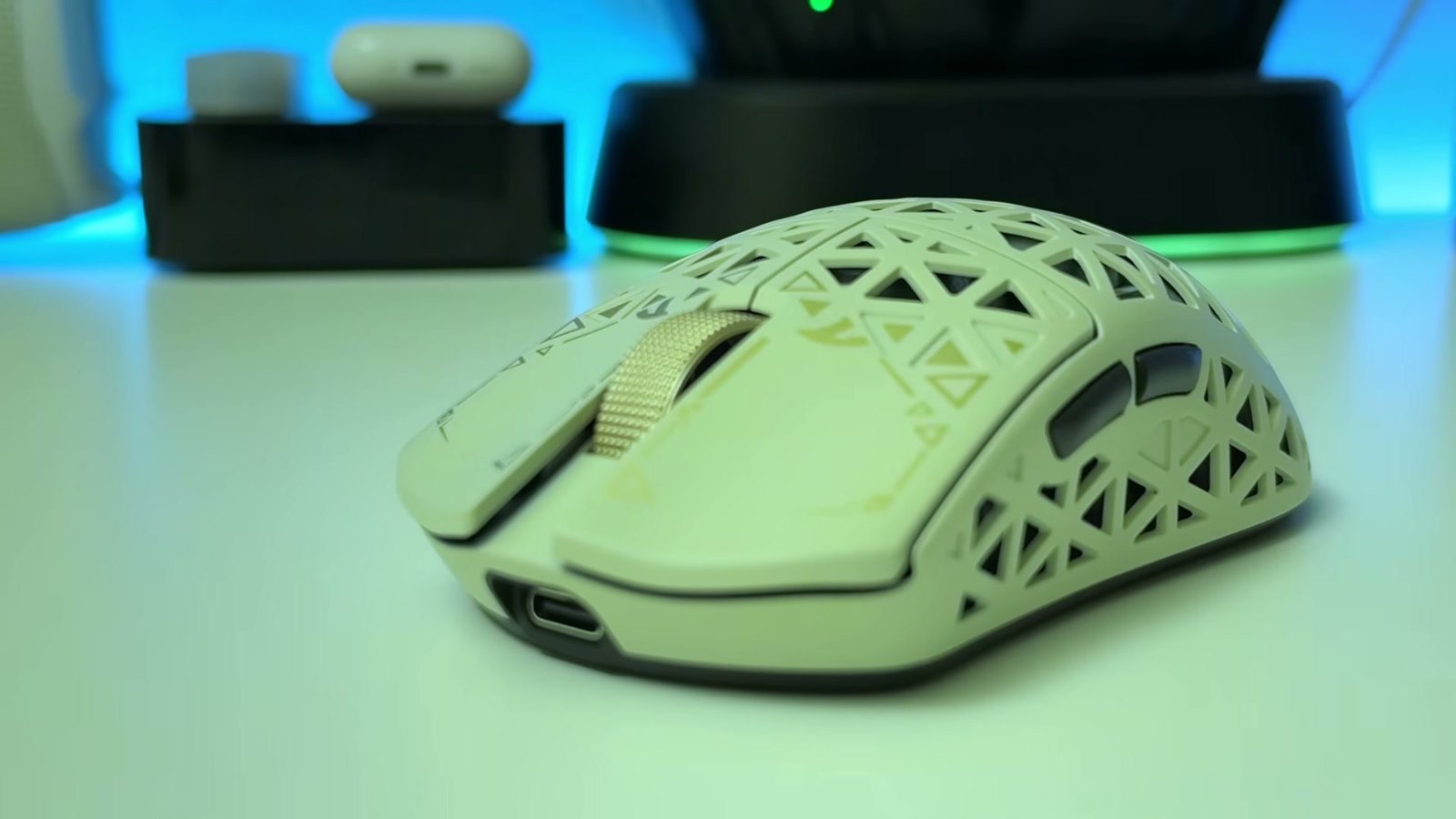
Attack Shark R5 Turbo Wireless Gaming Mouse
Ultra-lightweight 45g competitive gaming mouse featuring Nordic nRF54LM20 MCU, true 8K wireless polling, PixArt PAW3395 Max optical sensor, and carbon composite honeycomb chassis.
- Ultra-Lightweight 45g Carbon Composite Chassis
- PixArt PAW3395 Max Optical Sensor (Up to 60K DPI, 750 IPS)
- Next-Gen Nordic nRF54LM20 High-Speed MCU
- Native 8000Hz Wireless Polling with Included Shark-Fin Receiver
- Crisp 100M Omron Optical Microswitches & PTFE Skates
Frequently Asked Questions (FAQ)
What are the main upgrades in the Attack Shark R5 Turbo compared to the R5 Ultra?
The R5 Turbo upgrades the internal microcontroller from the Nordic nRF52840 to the next-gen Nordic nRF54LM20 for improved 8K transmission stability, increases battery capacity to 290mAh, refines sensor tuning with the PixArt PAW3395 Max, and installs an upgraded tactile scroll encoder.
Does the Attack Shark R5 Turbo require software installation?
No. The mouse supports a driver-free Chromium web hub. You can adjust DPI stages, polling rates up to 8000Hz, lift-off distance (LOD), debounce delays, and key bindings directly inside your browser without installing heavy background software.
How long does the 290mAh battery last at 8000Hz polling rate?
At maximum 8000Hz wireless polling, the R5 Turbo delivers approximately 5 to 7 days of intense competitive gaming. Lowering the polling rate to 1000Hz extends battery life up to three weeks on a single charge.
What grip styles are best suited for the Attack Shark R5 Turbo?
Thanks to its 120mm symmetrical length and balanced medium center hump, the R5 Turbo excels across claw and fingertip grip styles for small to medium hands, while smaller hands can comfortably utilize a full palm grip.
