

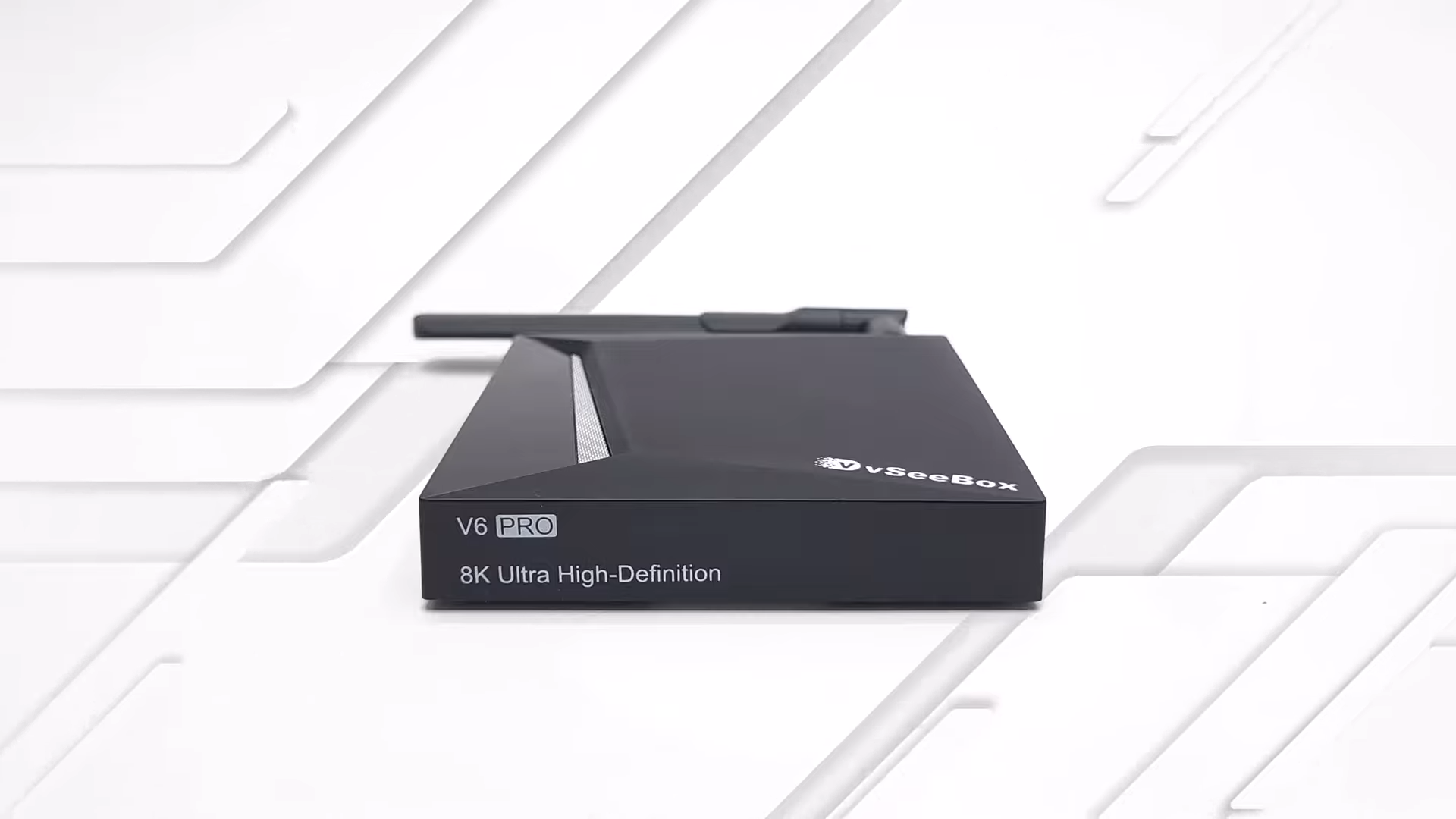
High-stakes live sports, especially major international soccer tournaments, require highly reliable streaming equipment. Standard media players frequently fail under the load of peak traffic, leading to frustrating interruptions. The vSeeBox V6 Pro positions itself as the ultimate remedy to this issue, claiming to offer completely buffer-free live television and video-on-demand content.
Purchasing a high-end Android box of this caliber requires a significant upfront financial commitment that might surprise newcomers to the ecosystem. Navigating the premium price point becomes easier once you witness the streaming architecture in action.

Unboxing and Physical Build Quality
Opening the retail packaging reveals a standard, complete set of accessories designed to get the system operational immediately. The package includes the main vSeeBox V6 Pro unit, a dedicated Bluetooth voice remote control, a single HDMI cable, a 5V 2A DC power supply, and a brief quick start guide. I noticed immediately that the design footprint remains unchanged from the previous iteration, retaining a highly familiar aesthetic.

The exterior chassis consists entirely of plastic, which keeps the unit lightweight but does not offer a particularly premium tactile feel. On the front panel, an LED clock display provides basic visual feedback during operation. Flipping the device over reveals four rubber feet designed to prevent sliding on your media console, alongside dedicated wall mounting cutouts and a generous array of ventilation holes to assist with heat dissipation.
The inclusion of the Bluetooth voice remote is a practical addition that simplifies navigation. Relying on Bluetooth means you do not need a direct line of sight to control the box, unlike cheaper infrared alternatives. The structural design represents a utility-first approach where aesthetics are secondary to function.

Connectivity and Input-Output Ports
Exploring the physical interfaces on the back of the device reveals several critical ports for home theater integration. The main output relies on a single HDMI 2.1 port, accompanied by an optical audio output, a standard AV port, and the main 5V DC power input socket. Hidden inside the AV port is a physical reset button that requires a toothpick or pin to actuate during system recovery procedures.
Turning to the side panel, the box offers two USB 2.0 ports alongside a physical SD card reader for external media storage expansion. The choice of older USB 2.0 technology rather than faster USB 3.0 ports indicates a hardware compromise that will impact local file transfer speeds. Despite these limitations, the available ports provide enough peripheral flexibility for most standard users.

Software Interface and the Grape Launcher
Initial boot-up triggers a one-time startup wizard that guides you through the basic configuration of the system. Once you complete this initial setup and agree to the manufacturer’s usage disclaimer, the system loads the proprietary Grape launcher interface. This launcher acts as the central hub of the device, using horizontal scrolling panels to display installed applications, recommended content, and system utilities.
The utilities panel located at the bottom of the home screen houses several important system management tools. Users can access general settings, customized launcher configurations, and wireless system update utilities directly from this screen. The remote control features four colored hotkeys that you can assign to launch your favorite applications instantly.

System performance can be optimized directly from this launcher interface via a built-in one-click memory cleanup feature. A dedicated system information screen also lets you monitor basic parameters without installing third-party tools. The software architecture focuses heavily on ease of use, keeping advanced settings hidden to streamline the television viewing experience.
System Architecture and Benchmark Performance
Running the specialized TV Box Stop Specs application reveals the underlying hardware powering the vSeeBox V6 Pro. The operating system runs on Android 14 TV OS, styled as a Google TV OS interface. Security standards include Google Widevine Level 1 certification combined with HDCP 2.2 protection, though users should note that developer options are entirely blocked in this firmware.

Under the hood, the processing power comes from an Allwinner H618 chipset, although diagnostic tools like AIDA64 sometimes identify it as an H313 or H616 variant. This processor features a quad-core Cortex A53 configuration running at a maximum clock speed of 1.5 GHz, interestingly compiled in 64-bit mode. The system pairs this processor with 4GB of DDR4 RAM and 32GB of internal storage, while graphics processing is handled by a Mali G31 GPU supporting OpenGL ES 3.2 and Vulkan 1.1.
Synthetic benchmark tests highlight the modest processing capabilities of this particular silicon. Testing with the Antutu benchmark version 8.4.5 yielded a modest score of 61,191, placing the device at rank 158 on my performance comparison chart. Attempting to run the demanding 3DMark Wild Life benchmark failed entirely, forcing the device to run the legacy Sling Shot test instead.

Network Connectivity and Wi-Fi Speeds
Wireless connectivity is managed by an integrated Wi-Fi 6 dual-band adapter supporting both 2.4 GHz and 5 GHz networks. Real-world network testing showed that the 5 GHz band successfully saturated the maximum bandwidth capabilities of my local test network. In contrast, the 2.4 GHz band delivered a much slower average transfer speed of approximately 95 Mbps.
Analyzing the physical Ethernet connection reveals a somewhat confusing situation. Standard system diagnostic software struggles to read the exact network adapter model to verify its gigabit status. However, running a dedicated speed test utility confirms the presence of a gigabit LAN port, even though performance capped out at an average of 167 Mbps due to software and Cloudflare testing constraints.

Video Playback and Audio Limitations
Technical specifications indicate hardware decoding support for HDR10, HDR10+, HLG, and AV1 video formats. Dolby Vision is completely unsupported, and the system lacks advanced picture upscaling technologies like AISR or AIPQ. Real-world testing revealed major problems with local 4K file playback, as videos suffered from intense buffering, stuttering, and excessively saturated HDR10 colors.

Standard application performance also suffers from hardware bottlenecks. Watching YouTube is restricted to a maximum resolution of 1080p with HDR, as selecting any higher quality option causes the video to freeze. Attempting to play local AV1 or HLG videos yielded very poor visual results, and files utilizing HDR10+ caused the media player to freeze entirely.
Audio performance is equally limited for home theater enthusiasts. Connecting the device to a Sony 7.1 AV receiver confirmed that the box does not support digital audio passthrough. Built-in hardware audio decoders are present, but they remain ineffective without the ability to pass surround sound signals directly to an external soundbar or receiver.

Specialized Streaming Strengths and Gaming Weaknesses
Gaming enthusiasts must look elsewhere, as the Mali G31 GPU’s graphical performance, combined with the Allwinner processor, is inadequate for modern Android gaming. Synthetic tests and physical gameplay attempts confirm that processing lag renders gaming experiences completely unplayable. The primary utility of this device lies strictly in network-based video streaming.
The true value of the vSeeBox V6 Pro resides in its specialized live TV and video-on-demand platform. While local 4K files and heavy applications struggle, the customized network streaming protocols deliver an exceptionally stable, buffer-free performance during live sporting broadcasts. The software environment is highly optimized for this singular purpose, ensuring that peak-time traffic does not interrupt your viewing experience.

Final Thoughts — Price & Value
Evaluated purely on its hardware merits, this media player has clear limitations that prevent it from being a general-purpose entertainment hub. Local 4K video playback is unreliable, advanced audio passthrough is missing, and gaming performance is poor. However, the specialized streaming software changes the calculation completely by delivering rock-solid live TV and video-on-demand services that standard Google-certified boxes cannot match.
Acquiring this seasonal special model makes financial sense if your primary goal is reliable, buffer-free access to live global sports broadcasts. The specialized service included with the hardware easily justifies the overall investment for dedicated sports fans.
