

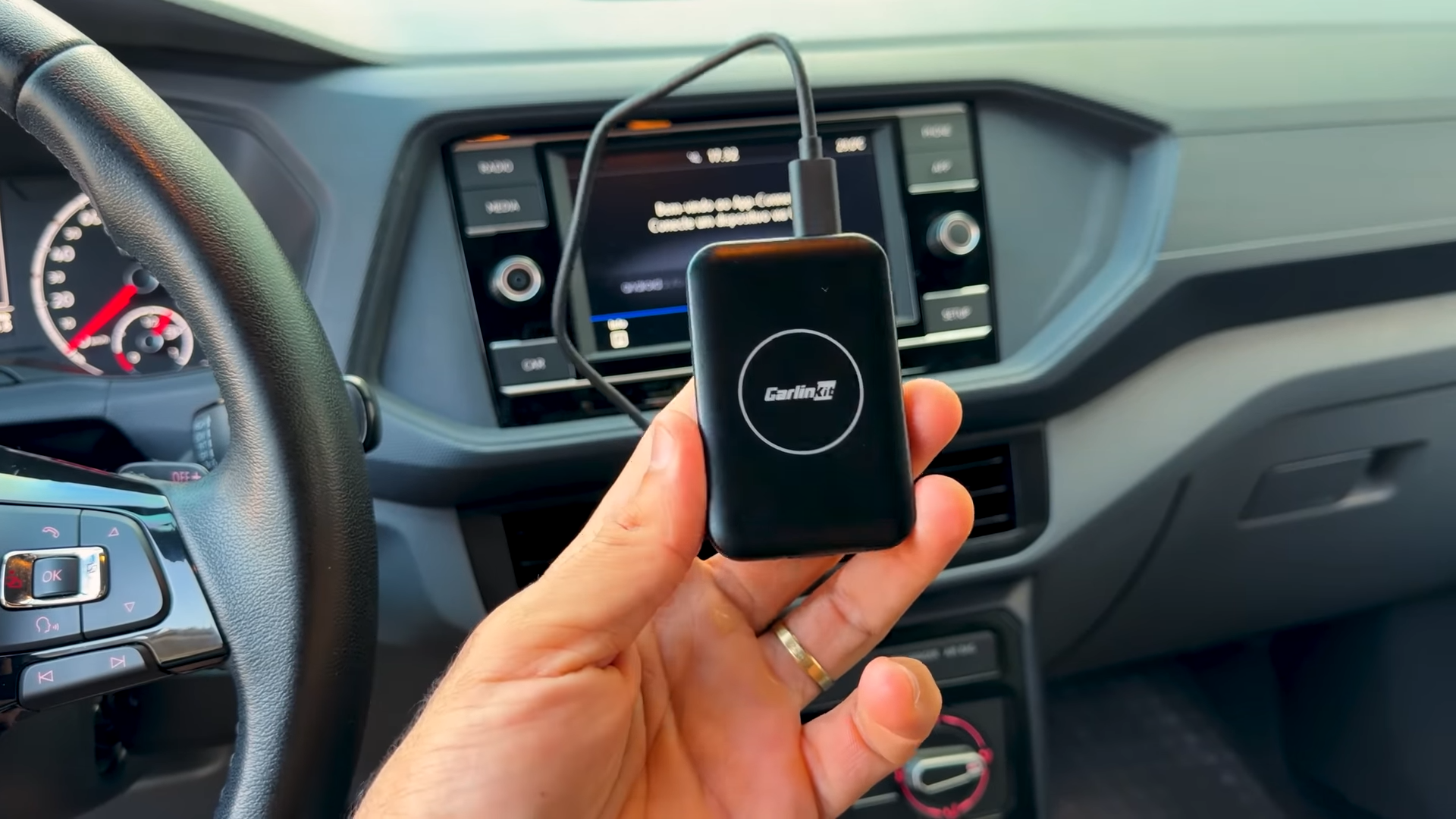
Modern vehicles often come equipped with highly restrictive infotainment systems. Many drivers find themselves limited to basic navigation and audio streaming, missing out on the rich media ecosystems available on modern tablets. The CarlinKit Android Lite CPC 200 Tbox Lite addresses this exact limitation by converting existing wired CarPlay or Android Auto systems into a fully functioning, standalone Android environment. Priced at approximately $47 on AliExpress, this compact dongle presents a highly affordable path to absolute media freedom in your vehicle.
Operating on a plug-and-play basis, the device requires no invasive modifications to your vehicle. I spent time analyzing the software performance, wireless smartphone bridging capabilities, and physical design to determine whether this accessory deserves a permanent spot on your dashboard.

Hardware Specifications and Unboxing
The CarlinKit Tbox Lite impresses immediately with its physical form factor. The device is remarkably small, compact, and lightweight, making it incredibly easy to tuck away into center consoles or glove compartments. On the physical chassis, you will find a USB-C input port alongside a cleverly hidden HDMI output port. The inclusion of this HDMI port allows you to output the Android interface to external screens, such as rear seat entertainment monitors, adding significant value for family road trips.

Inside the box, the manufacturer includes two distinct cables: a USB-A to USB-C cable and a USB-C to USB-C cable. This dual inclusion ensures that the device can connect directly to older USB-A vehicle ports as well as modern USB-C diagnostic and media ports. The specific unit analyzed for this review features 4GB of RAM and 32GB of internal flash storage. CarlinKit also offers alternative configurations, including 2GB/16GB and 2GB/32GB variants, though the 4GB RAM model remains the most capable for running demanding apps.
System installation is as simple as plugging the cable into your car’s designated smartphone media port. The car’s infotainment screen quickly identifies the dongle as an Apple CarPlay device, launching the Tbox Lite S custom interface which runs on top of an Android 9 operating system. A crucial prerequisite for this device is that your vehicle must already possess factory-wired CarPlay or Android Auto. Without this baseline wired compatibility, the CarlinKit adapter will not function, as it relies on the pre-existing communication protocols of your car’s dashboard.

Android Ecosystem on the Dashboard
Once booted, the interface behaves exactly like an Android tablet projected onto your car screen. The home screen provides immediate access to pre-installed applications like the Google Play Store, YouTube, Netflix, TikTok, and Disney. Having access to the Play Store means you can download your preferred entertainment, music, and utility apps directly onto the device’s internal storage. This completely bypasses the standard restrictions imposed by Apple CarPlay and Android Auto, which block video streaming applications entirely.

Some software limitations do exist within the default Google Play Store ecosystem on this device. For instance, searching for Waze directly in the built-in Play Store displays a message indicating that the application is not supported on this hardware configuration. Because the underlying operating system is open Android, users can easily bypass this issue by sideloading the application using an APK file stored on a USB flash drive. Other mainstream applications like Google Maps, Maps.me, and Spotify install directly from the store without any technical workarounds.
Managing the system is simplified by a dedicated floating side-navigation widget. This widget allows you to quickly go back, return to the home screen, or access system shortcuts. It also includes an active task switcher that displays all currently running background applications. Clicking the memory clean icon quickly closes inactive background apps, freeing up system memory to maintain smooth overall system operation.

Seamless Dual Wireless Integration
Beyond acting as a standalone Android device, this unit serves as a highly efficient wireless adapter for your smartphone. Drivers who prefer their standard Android Auto or Apple CarPlay interfaces can pair their phones via Bluetooth to the “Tbox Lite S” signal. This removes the necessity of plugging in your phone every time you enter the vehicle, providing a completely cable-free user experience while retaining access to native phone navigation, messaging, and dialer features.

Connecting multiple smartphones is handled exceptionally well by the internal software. The system easily registers and switches between two different smartphones, which is ideal for households where partners share the same vehicle. When my spouse enters the vehicle, the system recognizes her phone and establishes the connection; when I drive, it seamlessly pairs with mine. This automated handoff adds a layer of daily convenience that standard wired connections simply cannot replicate.
Transitioning between the standalone Android environment and the wireless projection mode is incredibly quick. A single tap on the on-screen menu exits the wireless Android Auto or CarPlay view, returning you to the main CarlinKit Android 9 launcher. This layout allows passengers to quickly launch YouTube or Netflix during rest stops without permanently disrupting the primary phone pairing or deleting existing navigation data.

Real-World Performance Limits and Safety
Hardware performance is an area where buyers must set realistic expectations. The integrated processor inside this lighter version is not a cutting-edge, high-performance chip. Clicking on applications or switching menus requires a brief moment of patience, as there is a slight, noticeable delay during execution. While the interface is entirely usable and stable, it does not match the blistering rendering speeds of modern premium smartphones.

Vehicle safety must always remain a primary focus for any driver utilizing video-capable accessories. Operating a vehicle while watching video content on the dashboard is highly dangerous and irresponsible. The true utility of the CarlinKit system shines brightest during stationary periods, such as waiting in a parking lot, resting during long road trips, or keeping children entertained while waiting outside a building. Having offline videos preloaded onto the internal storage makes these idle waiting periods highly productive and stress-free.
To maximize performance, leveraging the storage capacity for offline playback is highly recommended. Downloading offline video playlists or music files directly to the 32GB internal memory ensures smooth, buffer-free playback even when driving through areas with poor cellular reception. This storage-heavy approach also minimizes the amount of mobile hotspot data consumed by your smartphone during daily commutes.

Crucial Limitations of the Integrated Hardware
A significant hardware omission to keep in mind is the lack of an integrated GPS module. Unlike more expensive models in the CarlinKit lineup, this Lite version cannot track its physical location independently. Running navigation apps like Google Maps or Maps.me directly from the device’s standalone Android environment requires tethering the unit to your phone’s GPS data, or relying strictly on pre-downloaded offline route directions.

Internet connectivity is completely dependent on an external Wi-Fi source. The device does not feature a SIM card slot for independent cellular data connections. To access online services, download new apps, or stream live media, you must connect the device to your smartphone’s mobile hotspot or a portable vehicle router. Preparing your media library beforehand by downloading content over your home Wi-Fi network is the most efficient way to utilize the internal storage.

Final Thoughts — Price & Value
The CarlinKit CPC 200 Tbox Lite S provides an impressive level of utility for its R$ 280 price point on AliExpress. It successfully bridges the gap between basic wireless smartphone mirroring and a complete standalone media console. Buyers should remain mindful of local import regulations and potential taxes on international purchases, but the baseline cost-to-performance ratio of this accessory is highly competitive.

Opting for the 4GB RAM and 32GB storage variant guarantees the best possible experience, preventing the system slowdowns common to low-memory devices. Despite the slower processing speeds and the absence of a built-in GPS chip, the dual-phone wireless bridging and standalone media playback capabilities make this device a stellar upgrade for any vehicle equipped with wired CarPlay or Android Auto.
