

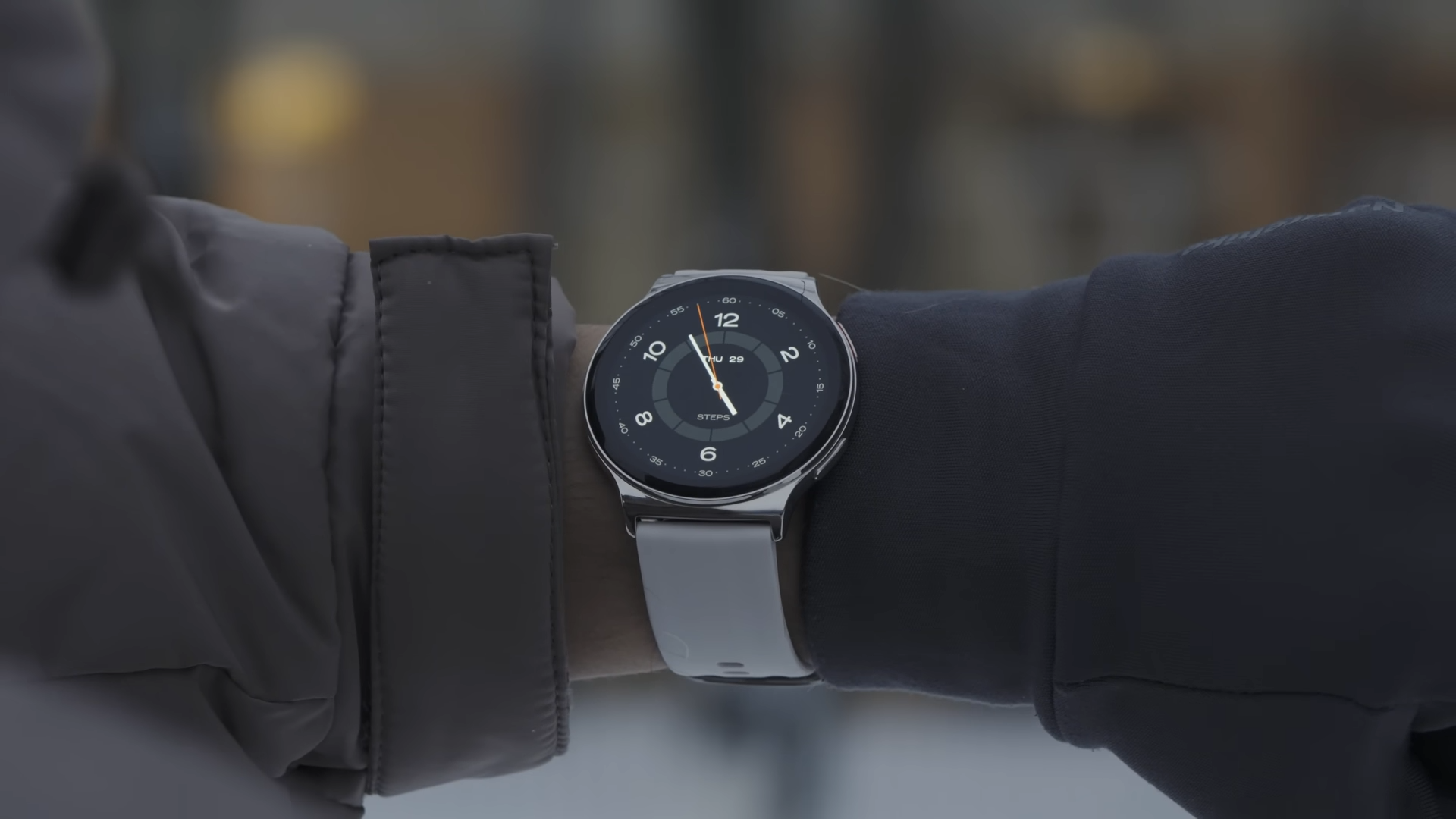
I have spent significant time testing the Haylou Solar Lite 2 to see how it performs in real-world scenarios. This budget-friendly smartwatch tries to grab your attention with a bright AMOLED screen, Bluetooth calling, and an attractive price tag of around $30. At this low price point, many tech enthusiasts wonder if this wearable can deliver a reliable daily experience or if the compromises are simply too great to ignore.

First Look at the Build Quality
The watch arrives in a durable cardboard retail box containing the device, a standard black silicone strap with a metal buckle, a user manual, and a two-pin magnetic charging cable. On my scale, the entire setup weighs exactly 51 grams with the strap attached, while the physical dimensions of the chassis measure 47 by 45 by 11.3 millimeters. This slim profile ensures that the watch sits comfortably on the wrist during long writing sessions or casual walks.

My review unit came in the classic black colorway, though a silver variant is also available to match different styles. The main watch case utilizes metal, which gives the device a surprisingly premium feel, while the backplate consists of glossy plastic. A noticeable screen bezel slightly detracts from the overall modern look, though choosing a dark dial helps minimize this visual issue.
The included 22mm silicone strap feels soft to the touch, but it fails to provide adequate ventilation during intense workouts. My wrist tended to sweat under the material, meaning you will likely want to swap it out for a breathable third-party alternative. The watch provides 1 ATM water resistance, which successfully survived my deep immersion tests without any damage. I strongly advise against wearing this device in hot baths, saunas, or saltwater environments to prevent internal damage.

Physical Controls and Ergonomic Layout
Two tactile mechanical buttons sit on the right side of the metal frame to handle most of the system navigation. The top button powers the display on or off, returns you to the home screen, and opens up the main menu. Holding this upper key down brings up the device shutdown menu, providing quick access to power management.

The bottom button acts as a dedicated shortcut to the workout menu, allowing fitness enthusiasts to launch tracking modes instantly. It is unfortunate that the manufacturer did not include any button remapping options, leaving users stuck with the default commands. Both buttons offer solid travel with zero play or annoying wobble, which speaks well of the overall manufacturing standards.
The underside of the glossy plastic backplate houses the magnetic charging contact points, a built-in speaker, and a microphone. This section also holds the integrated health sensors used for tracking various bodily metrics. This layout keeps the sensors close to your skin while ensuring the speaker and microphone remain unobstructed during daily wear.

Display Performance and Touch Response
The centerpiece of this budget wearable is its flat 1.43-inch AMOLED screen with a sharp resolution of 466 by 466 pixels. The glass edges feature a subtle curvature, although the screen itself is not recessed into the metal frame. While the user interface navigation feels quick, the touch panel response is not the most responsive on the market.

Outdoor visibility is highly impressive, with my professional lux meter measuring a peak brightness of 1,300 lux. This level of illumination makes reading notifications in direct sunlight incredibly easy. The screen lacks an automatic brightness adjustment sensor, meaning you must change the brightness levels manually depending on your environment. PWM flickering remains well within safe operational limits, preventing eye strain during prolonged use.
The maximum screen timeout limit is capped at 30 seconds, which is adequate for most quick glances. The lift-to-wake gesture works, but it suffers from a noticeable delay and occasional stuttering. Double-tapping the glass does not wake the screen, though you can conveniently turn off the display by covering it with your palm. Always On Display technology is present, but it runs constantly throughout the day with no scheduling options or custom style settings.

Interface Navigation and System Features
Navigating the operating system relies on standard swipe gestures that feel familiar to any smartwatch user. Swiping down from the home screen opens the quick settings panel, offering access to brightness, silent modes, a flashlight, and phone-finding functions. Swiping up brings up your notification history, while swiping left or right cycles through customizable widgets.

The font remains highly readable, which helps when browsing through the system menus. Users can easily customize the order of their widget cards, but the quick settings panel and the main application menu layout cannot be reordered.
The onboard system apps include a weather forecast tool, a calendar, a stopwatch, and a custom alarm. The timer is the only utility that can run in the background while you perform other tasks. Additional tools include a basic calculator, an emergency calling shortcut, a remote camera shutter, and a music player controller. The device does not support local music storage or third-party application installations.

Health Tracking Accuracy and Performance
The watch includes sensors for monitoring your heart rate, blood oxygen saturation (SpO2), stress levels, and sleep patterns. These measurements can be taken manually on demand or set to run automatically in the background through the companion app. My testing indicates that the health algorithms are quite inaccurate and unreliable for serious tracking.
During my testing, the optical sensors refused to read data when placed against open air, yet they easily displayed heart rate metrics when wrapped around inanimate objects. Sleep tracking is similarly disappointing, as the watch regularly fails to detect accurate bedtimes and wake-up times. The software completely ignores daytime naps, meaning your daily sleep score will be highly skewed.

You can view simplified health charts directly on the AMOLED screen, but looking at complete historical data requires opening the smartphone app. Customizing health alerts or changing the frequency of automatic heart rate checks is also handled exclusively within the app. Anyone requiring precise health metrics for medical or athletic purposes should look elsewhere.
Sports Modes and Activity Tracking
The system offers over 150 workout modes to cover a wide variety of indoor and outdoor activities. Swimming and other water-based workouts are completely absent, which is expected given the limited water resistance rating. You can set specific workout goals or target thresholds before starting an exercise session.

The lack of a built-in GPS module means the watch must rely on your connected smartphone to map outdoor routes. The built-in music player remains fully functional during workouts, allowing you to change songs without stopping your exercise. It is frustrating that you cannot minimize the active workout screen to check other watch functions or use the timer.
The integrated step counter is highly inaccurate, routinely overestimating daily movement. My tests showed that the watch consistently adds about 150 to 200 phantom steps for every thousand real steps taken. This artificial inflation makes it difficult to trust the daily activity logs over an extended period.
Smart Features and Bluetooth Calling
The device utilizes Bluetooth 5.4 to maintain a stable connection with your smartphone. You cannot pair external Bluetooth audio devices like wireless earbuds, nor does the watch support Wi-Fi connectivity. The system also lacks any support for physical SIM cards or digital eSIM profiles.

The built-in microphone and speaker allow you to make and receive phone calls directly from your wrist. The call interface includes a manual dial pad, recent call history logs, and a selection of favorite contacts that you sync from your phone. Speaker audio quality is mediocre at best, but it remains clear enough for quick conversations when your hands are full.
Notifications arrive almost instantly, but the overall presentation is extremely barebones. Many application icons fail to load correctly, and there is no on-screen keyboard or quick-reply templates for messaging. The display cannot show long text blocks or images, and the harsh haptic motor feels cheap, even though you can adjust its intensity in the settings.
Companion App and Battery Endurance
The watch pairs with the Haylou Fun mobile application, which is fully translated into Russian. The first tab displays your daily health summaries, the second tracks your outdoor runs, and the third handles device settings and firmware updates. The app store features a variety of classic and dynamic watch faces, though none of them feature interactive or clickable widgets.

The internal 300 mAh battery takes about one and a half hours to reach a full charge from zero. The manufacturer claims up to 17 days of battery life under normal usage conditions. My real-world tests showed that the battery actually lasts around 11 days with standard, non-restricted usage, which remains a very strong result.
Final Thoughts — Price & Value
The Xiaomi Haylou Solar Lite 2 represents an entry-level option for buyers who prioritize display quality and Bluetooth calling above all else. At a retail price of approximately $29, this watch is significantly cheaper than competitors like the Realme S3, which usually commands a 50 percent premium. The bright AMOLED panel and reliable 11-day battery life make it a respectable hardware package for the money.

However, anyone looking for accurate health tracking or advanced software features would be better served by a modern fitness band from Xiaomi or Huawei. Fitness trackers in this price range typically offer far more precise tracking algorithms and polished software, even if they lack a built-in speaker and microphone. For those who specifically want the traditional smartwatch look and calling capabilities on a tight budget, this model remains a viable option.
