

The global excitement surrounding massive sporting events naturally shifts consumer focus toward big-screen setups. Gathering with friends and family in living rooms or backyards creates an unmatched social experience that small television screens simply cannot replicate. While high-end home theater systems require a significant financial investment, a growing number of consumers are searching for cost-effective alternatives to bring the stadium atmosphere straight into their homes. This demand makes budget-friendly projectors an incredibly popular category in developing tech markets.
The Magcubic HY320N enters this highly competitive space as an entry-level projection solution. Priced aggressively at 11,890 Bangladeshi Taka through its authorized distributor, Famous Gadget, this device promises a surprising array of features that are typically absent in this price range. I have spent significant time analyzing its real-world performance to determine if this budget hardware truly stands out as a smart purchase, or if it suffers from the usual pitfalls of cheap projection tech.

Compact Design with High Portability
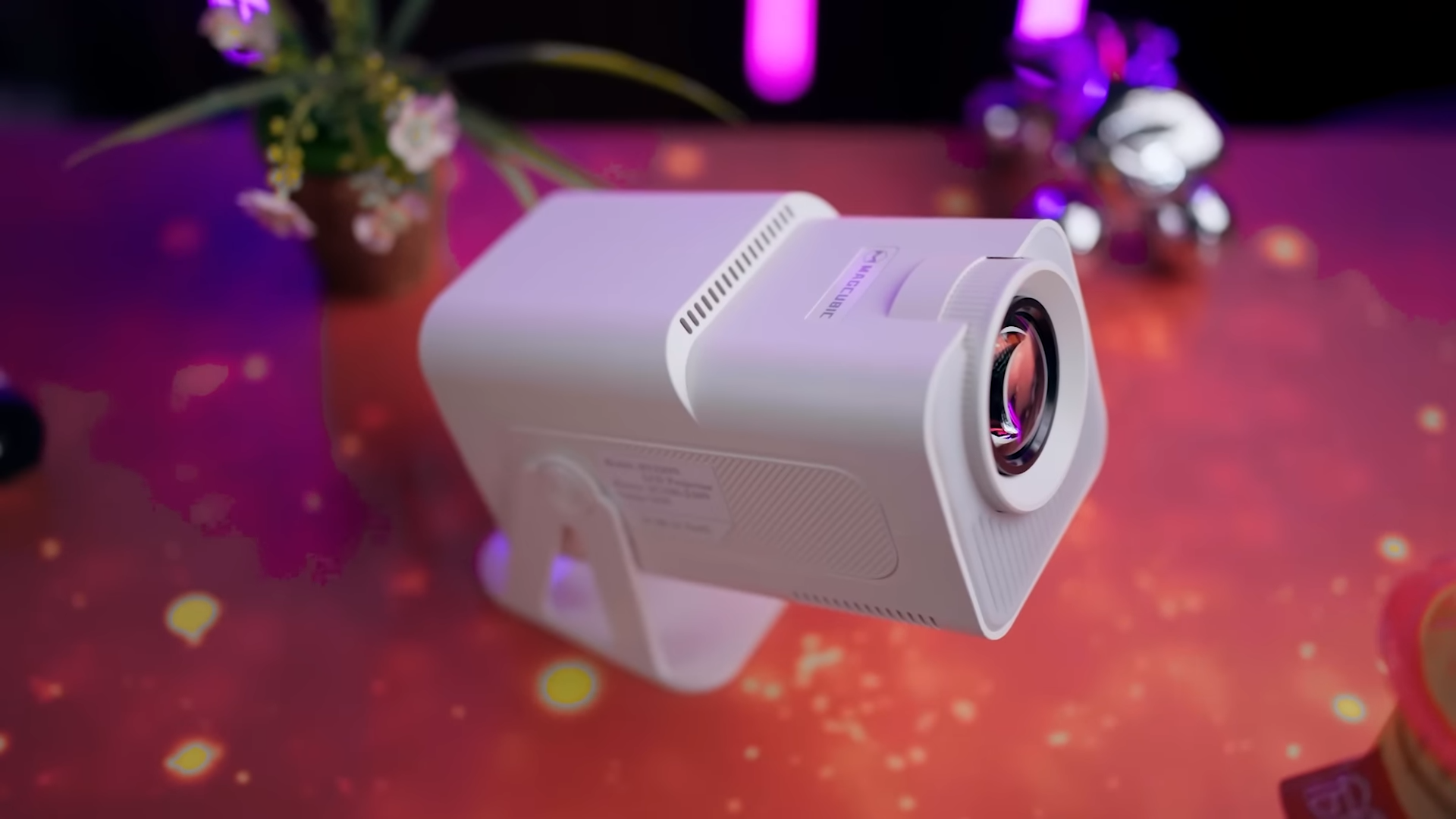
The physical profile of the Magcubic HY320N aligns closely with the practical needs of modern home entertainment. Its compact, lightweight chassis makes it highly portable, allowing users to move it between rooms or pack it for travel without hassle. A standout physical feature is the 180-degree rotatable stand design. This rotating mechanism permits users to project content onto any vertical wall, angled partition, or even directly onto the bedroom ceiling for relaxed late-night viewing sessions.

The bottom of the unit features a dedicated mounting point for compatibility with standard tripods, offering versatile positioning options. Around the rear of the device, you will find a thoughtful selection of essential connection ports. There is a single HDMI port for connecting gaming consoles, streaming sticks, or laptops, alongside a 3.5mm auxiliary jack to hook up external sound systems. A standard USB-A port is also present, allowing users to plug in flash drives or external hard drives directly to play locally stored media.
Adjusting the alignment on this projector involves a combination of automated and manual tools. Vertical keystone correction operates automatically to level the image on the fly, though horizontal keystone adjustments must be configured manually inside the software settings. Focus adjustments must also be completed manually by turning the physical focus wheel located near the lens. While a lack of automatic focus might seem like a drawback, this manual configuration is a highly acceptable trade-off considering the affordable price tag.

Official Google Certification and Android 13
Software functionality serves as the absolute defining highlight of the Magcubic HY320N, setting it apart from generic alternatives. Many budget-tier Chinese projectors utilize uncertified, modified versions of Android that lose access to official services like YouTube or Netflix within a few months of use. This device mitigates those risks by featuring official Google certification, which guarantees long-term app stability and continuous security updates. Users get access to a reliable app ecosystem right out of the box.

The projector runs on the Android 13 platform, driven by an efficient Amlogic S905Y4 processor. This hardware configuration is paired with 1GB of RAM and 8GB of onboard storage, which is perfectly adequate for running lightweight media streaming applications. To make the interface intuitive, Magcubic has implemented the Whale OS user interface, which is specially optimized for smart TV platforms. Navigation remains fluid, visually clean, and remarkably responsive during my extended testing.
Whale OS also integrates its own dedicated app store alongside a fast, built-in Whale Voice Search feature. This voice functionality makes searching for videos or titles exceptionally convenient, eliminating the slow and tedious process of typing with an on-screen keyboard. Legitimate access to major services like Netflix, YouTube, Prime Video, and Disney+ is further simplified by the inclusion of dedicated shortcut buttons on the remote control. This licensed ecosystem provides incredible peace of mind for buyers.

Visual Performance and Brightness Analysis
The Magcubic HY320N features a native resolution of 1080p, but it possesses the internal processing power to decode 4K video files seamlessly. Rated at 320 ANSI lumens, the light source is engineered specifically for controlled lighting conditions. Ambient lighting or open windows will quickly wash out the contrast and colors of the image. Consequently, this hardware performs best in pitch-black rooms or heavily shaded environments.

During my testing phase, I projected content at various sizes to determine the limits of its performance. While the hardware can project an image up to 130 inches, the optimal balance of brightness and clarity is achieved at sizes between 70 to 90 inches. To get the absolute best visual output, it is highly recommended to pair the projector with a dedicated projection screen. Projecting onto a plain white wall works, but it cannot match the contrast and pop delivered by proper screen materials.

Color reproduction remains surprisingly vibrant and satisfying for casual movies and historical football matches. There is a minor amount of edge blurring that occurs near the far corners of the frame, which is an expected characteristic of low-cost optical lenses. This slight softness in focus is virtually unnoticeable while watching moving video content, though it becomes visible when displaying fine text or system menus. For daily media consumption, the visual clarity remains highly respectable.

Audio Limitations and Robust Connectivity Options
Sound reproduction is handled by an internal 5W speaker built directly into the projector frame. To be perfectly honest, the built-in speaker delivers a thin and quiet audio signature that struggles to match the grand scale of a large-screen viewing experience. Relying solely on the internal speaker for action movies or packed sports matches is not recommended. Integrating a secondary audio system is highly recommended to create a truly immersive environment.

Fortunately, the projector offers excellent audio expansion methods both wired and wirelessly. Built-in Bluetooth 5.2 allows you to pair external wireless soundbars, portable speakers, or Bluetooth headphones with ease. For latency-free audio transmission, the physical 3.5mm auxiliary port serves as a reliable analog connection. Networking capabilities are also excellent, thanks to the integration of dual-band Wi-Fi 6 which supports both 2.4GHz and 5GHz wireless bands.
The included physical remote control is exceptionally responsive, showing zero noticeable lag during quick menu navigations. It includes handy dedicated buttons to jump instantly into custom picture and sound modes without digging deep into the main settings menu. Furthermore, the unit supports seamless wireless phone casting, allowing users to mirror their mobile screens onto the projector. This casting feature operates smoothly and provides a convenient way to share photos or local video clips.

Final Thoughts — Price & Value
The Magcubic HY320N presents a highly compelling value proposition at its price point of 11,890 Taka. This device successfully satisfies the demands of users who want a massive screen experience without spending a small fortune. Having official Google certification, Android 13, and Wi-Fi 6 on a budget projector provides a massive advantage over competitors that lack stable software licensing.
Buyers must accept the typical limitations of an entry-level unit, including the modest 320 ANSI lumens brightness and the weak built-in 5W speaker. It is built strictly for indoor entertainment in dark rooms rather than outdoor daytime gatherings. For anyone seeking a reliable, secure, and highly portable home theater solution on a tight budget, this model stands as one of the best available options in its segment.
