

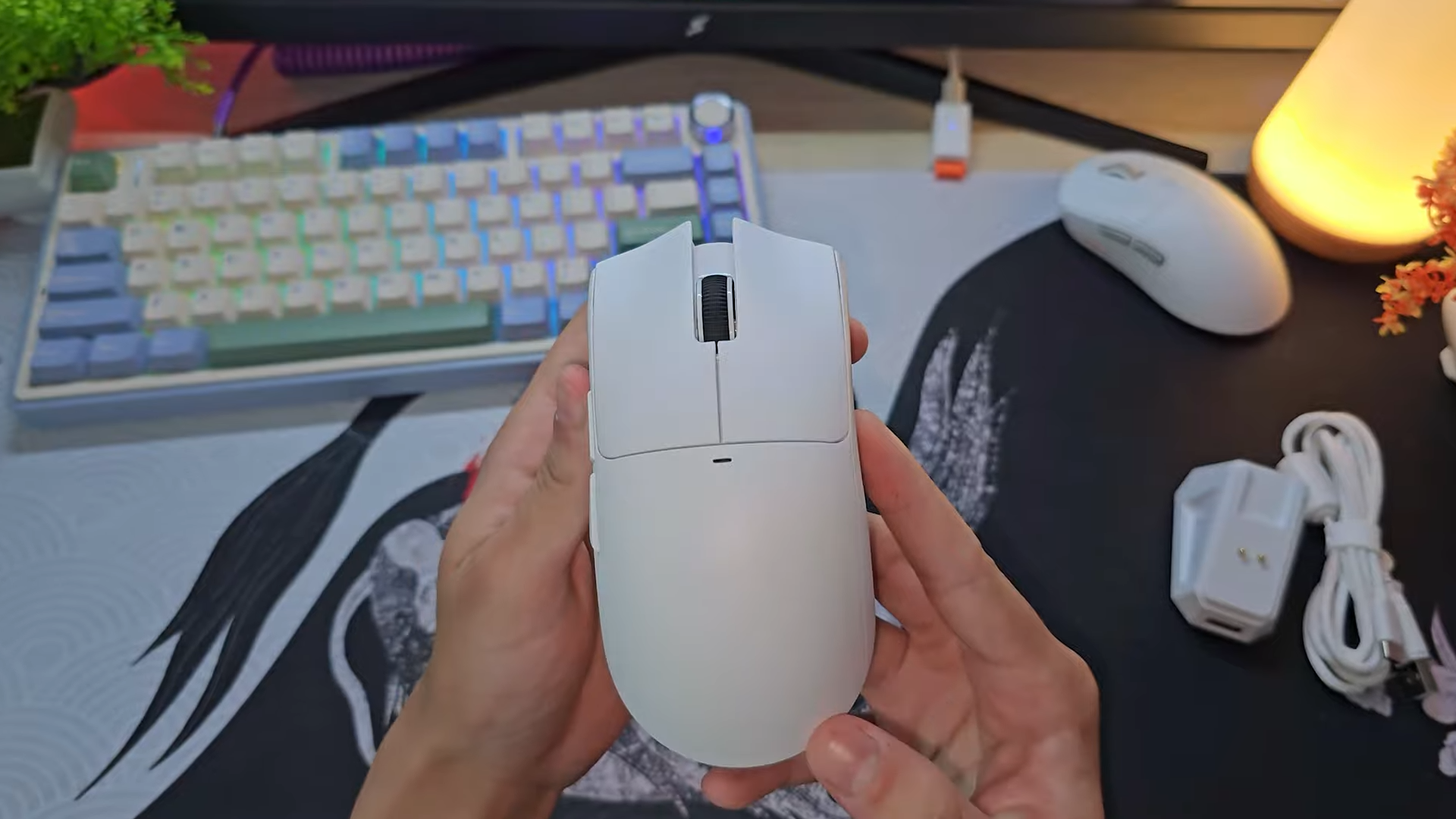
Today, I am analyzing the Attack Shark X11, an incredibly lightweight wireless gaming mouse that has captured the attention of budget-conscious competitive players. This pointing device aims to redefine the ultra-budget tier by offering premium-tier features without the matching price tag.
Buyers can currently secure this pointer for approximately $30, which is an astonishingly low price point for a wireless package. My extensive evaluation focuses on whether this unit delivers actual performance value or simply relies on flashy marketing gimmicks.

Quick Navigation (Table of Contents)
- Unboxing and Included Accessories
- Build Quality and Structural Integrity
- Weight, Color Options, and Glide Performance
- Triple-Mode Connectivity and Battery Life
- The RGB Magnetic Charging Dock
- Shape, Ergonomics, and Grip Style Compatibility
- Huano Pink Dot Switches and Button Feel
- Software Suite and Customization Options
- PixArt PAW3311 Sensor Performance and Gaming Tests
- Final Thoughts — Price & Value
Unboxing and Included Accessories
Opening the packaging reveals a surprisingly complete bundle for such an affordable peripheral. I uncovered the mouse itself, the magnetic charging dock, a USB-C paracord charging cable, and a set of custom-cut grip stickers. These aesthetic stickers feature a mild texture that provides a subtle enhancement to your hold, though they are not premium rubberized grips.
Examining the included paracord cable reveals some cost-cutting measures by the manufacturer. This wire is noticeably stiffer and heavier than high-end paracords found on premium boutique gaming mice. Gamers forced to play while charging will experience some cable drag, though it remains far more flexible than a standard rubber cable. The presence of the dedicated charging dock makes wired gameplay a rare necessity anyway.

Build Quality and Structural Integrity
Gripping the chassis immediately highlights where the brand saved on production costs. The plastic material feels distinctly cheap and lacks any premium soft-touch or matte coating to elevate the tactile experience. You can easily feel the raw, unrefined nature of the plastic shell when running your fingers across the top plate.
Structural assembly is surprisingly well-executed despite the inexpensive materials used. I found no sharp burrs, misaligned seams, or rough edges anywhere on the outer shell. Squeezing the side walls with immense force does actuate the side buttons, revealing some minor flex in the thin plastic. Normal gameplay pressure will not trigger this issue, making it a non-factor during intense tracking scenarios.

Weight, Color Options, and Glide Performance
Tipping the scales at a mere 64 grams, this pointer ranks among the lighter budget options on the market. This low weight significantly improves tracking speed and ease of movement during high-stakes FPS matches. Gamers can choose between classic black, clean white, or a striking crimson red colorway depending on their setup aesthetics.
Turning the device over reveals the stock PTFE mouse feet, which offer decent surface area. These skates glide adequately on cloth surfaces, but they produce a somewhat scratchy, loud feedback on the mousepad. This friction is highly noticeable when compared directly to the smoother glide of the Kysona M600. The scratchiness stems from cheaper PTFE materials, though it does not severely hinder target tracking.

Triple-Mode Connectivity and Battery Life
Versatility shines through the triple-mode connection options designed to suit various computing setups. Users can connect via a wired USB-C connection, a low-latency 2.4 GHz wireless mode, or battery-saving Bluetooth. The underside of the shell houses a small toggle switch to alternate between these modes effortlessly.
Inside the bottom plate lies a secure storage compartment designed to hold the tiny 2.4 GHz wireless dongle. Powering the wireless transmitter is a 300 mAh rechargeable battery, which promises up to 65 hours of runtime according to official documentation. This capacity ensures multiple days of intense competitive gaming sessions without needing a top-up.

The RGB Magnetic Charging Dock
The true standout feature of this package is the magnetic charging dock included at this price. This accessory functions beautifully as a wireless receiver extender, allowing you to plug the dongle into the front of the dock. Connecting the dock directly to your computer places the wireless receiver mere inches from your mousepad, eliminating signal interference.
Strips of vibrant RGB lighting line the bottom of the dock, controllable via a dedicated physical button. Users can cycle through various cycling and static color patterns to match their desktop theme. Aligning the charging pins on the mouse with the dock is incredibly simple, prompting a white indicator light to signify active charging.

Shape, Ergonomics, and Grip Style Compatibility
Ergonomically, the chassis features a larger profile with a pronounced rear hump that naturally fills the palm. This geometry makes it highly compatible with traditional palm grip styles for small, medium, and large hands. The physical slope allows your hand to rest comfortably during extended productivity or gaming sessions.
Claw grip users with medium hands may struggle to find a locked-in, secure feel due to the specific curvature of the shell. Having tested it with my own medium-sized hand, I found my claw and fingertip grip styles lacked the stability I enjoy on smaller mice. Gamers preferring these alternate grip styles can still use the pointer, but it remains optimized for palm grip enthusiasts.

Huano Pink Dot Switches and Button Feel
Underneath the main mouse buttons lie Huano Pink Dot switches rated for an impressive 80 million clicks. These switches deliver a highly tactile, crisp response that feels incredibly satisfying to actuate. They require moderate force to click, ensuring you never suffer from accidental inputs during chaotic moments.
The scroll wheel features highly defined steps that provide excellent tactile feedback when switching weapons. Depressing the scroll wheel button reveals a reliable, stiff switch that actuates without any mushiness. The side buttons are decent, though they tend to sink slightly too far into the frame when pressed with extreme pressure.

Software Suite and Customization Options
Installing the companion software unlocks a surprisingly deep level of customization. Users can remap every button on the chassis, create custom application profiles, and record intricate macros. The interface also displays a clear real-time battery percentage indicator to prevent sudden power shutdowns.
Fine-tuning performance is straightforward with adjustable polling rates up to 1000Hz and customizable DPI steps. The utility allows gamers to configure the debounce delay (response time) of the switches to avoid unwanted double-clicks. It also provides quick access to Windows system mouse properties and controls the color of the small status LED.

PixArt PAW3311 Sensor Performance and Gaming Tests
Driven by the PixArt PAW3311 optical sensor, this mouse supports sensitivity settings up to 22,000 DPI. I subjected the hardware to intensive MouseTester benchmarks at 800 DPI to analyze tracking consistency. The results showed excellent tracking precision near the center, with minor consistency drops only occurring at the extreme edges of rapid, wide swipes.
Real-world gameplay performance proved exceptional during demanding first-person shooter sessions. I experienced zero sensor spinouts, stuttering, or tracking delays when executing quick target flicks. Micro-adjustments felt incredibly accurate, proving that this budget-tier sensor is fully capable of handling competitive gaming.

Final Thoughts — Price & Value
The sheer value proposition of this device is incredibly difficult to ignore. Finding a reliable wireless gaming mouse featuring a dedicated magnetic charging dock for under $30 is practically unheard of. The brand managed to cut costs intelligently by using cheaper plastics and basic skates while keeping performance metrics incredibly high.
Palm grip gamers looking for an affordable, lightweight wireless upgrade should put this peripheral at the top of their list. Minor drawbacks like the scratchy skates and stiffer cable are easily mitigated with aftermarket upgrades or simply using the charging dock regularly. This product sets a new benchmark for what budget gaming peripherals can deliver.
