

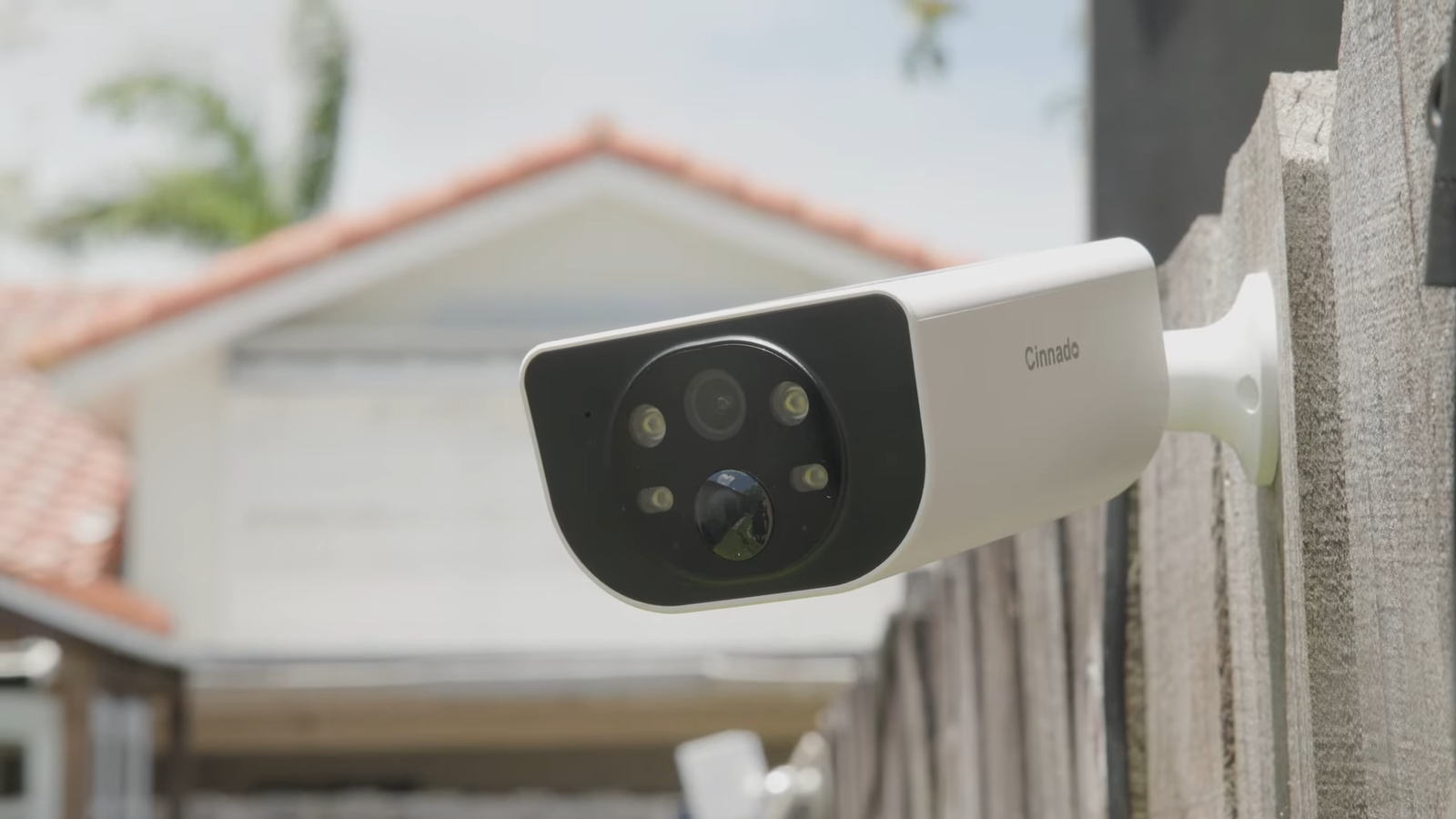
I recently had the opportunity to review the Cinnado S1, a 3-megapixel 2K resolution camera that offers wire-free security with continuous solar power. The Cinnado S1 is available on AliExpress and Amazon, with prices starting at around $50 for a single camera. What I found particularly interesting about this camera is its self-sustaining design, which eliminates the need for ugly and messy wires. The solar panel on top of the camera provides a clean and streamlined look, making it an excellent option for those who value aesthetics.
The Cinnado S1 also features IP65 waterproofing, color night vision, motion alerts, and two-way audio, making it a robust security camera that can withstand various environmental conditions. Additionally, the camera offers cloud storage or TF card storage options, although it does not come with an SD card. The multi-user, multi-device sharing feature is also a significant advantage, allowing multiple users to access the camera’s feed simultaneously.
The Sonando S1 is available in a one-pack or four-pack, making it an excellent option for those who want to secure multiple areas of their property.

Unboxing and Initial Setup
Upon unboxing the Cinnado S1, I was impressed by the camera’s compact design and the inclusion of a quick start guide, mounting bracket, stickers, and a USB cord for charging. The camera itself is small and lightweight, with a solar panel on top and a camera lens on the front. The only ports are located at the bottom of the camera, which include a reset button, a power button, and an SD card slot.

To set up the camera, I simply downloaded the WANs View app, powered on the camera, and held the reset button for a few seconds. The app then guided me through the connection process, which was relatively straightforward. I was able to connect the camera to my Wi-Fi network using the QR code, AP mode, or Bluetooth mode. The entire process took only a few minutes, and I was impressed by the ease of setup.
Once the camera was connected to my Wi-Fi network, I was able to access the live feed and adjust the camera’s settings using the app. The app allows users to adjust the resolution, enable or disable the microphone, and set up motion detection alerts. I was also able to take snapshots and record videos manually, which was a convenient feature.
App Features and Settings
The WANs View app offers a range of features and settings that allow users to customize the camera’s performance. The app’s main interface displays a live feed from the camera, and users can adjust the resolution, enable or disable the microphone, and set up motion detection alerts. The app also allows users to take snapshots and record videos manually, which was a convenient feature.

In addition to the live feed, the app also offers a range of settings and features, including alerts, replays, and cloud storage options. The alerts feature displays a list of all alerts triggered by the camera, and users can browse through the alerts and view the corresponding videos. The replays feature allows users to scrub through the camera’s footage and view specific events. The cloud storage options allow users to store their footage in the cloud, although this requires a subscription.
The app also offers a range of advanced settings, including motion detection sensitivity, re-trigger interval, and microphone volume. Users can also adjust the camera’s night vision settings, including the option to enable or disable the infrared mode, intelligent light, or fully color night vision. The app also offers a privacy settings option, which allows users to rotate the image, adjust the logo mark, and manage their memory card.

Performance and Image Quality
I was impressed by the Cinnado S1’s image quality, which was clear and detailed, especially in 2K resolution. The camera’s color night vision feature also worked well, providing a clear and colorful image even in low-light conditions. The motion detection feature was also effective, triggering alerts and recording videos when motion was detected.

The camera’s solar panel also performed well, providing a reliable source of power even on cloudy days. The camera’s battery life was also impressive, lasting for several days on a single charge. The camera’s Wi-Fi connectivity was also stable, with a strong signal and minimal lag.
Overall, I was impressed by the Cinnado S1’s performance and image quality. The camera’s advanced features, including motion detection, night vision, and cloud storage options, make it an excellent option for those who want a robust security camera. The camera’s compact design and solar-powered operation also make it an attractive option for those who value aesthetics and convenience.

Final Thoughts — Price & Value
Considering the Cinnado S1’s features, performance, and price, I believe it offers excellent value for money. The camera’s advanced features, including motion detection, night vision, and cloud storage options, make it an excellent option for those who want a robust security camera. The camera’s compact design and solar-powered operation also make it an attractive option for those who value aesthetics and convenience.

The Cinnado S1’s price, starting at around $50 for a single camera, is also competitive with other security cameras on the market. The camera’s two-year warranty and dedicated support center also provide peace of mind for users. Overall, I believe the Cinnado S1 is an excellent option for those who want a reliable and feature-rich security camera that offers excellent value for money.
